AI Crawlers, robots.txt and llms.txt for WordPress Stores: Who to Let In (2026)
Which AI bots to allow on a WordPress or WooCommerce store and which to block: the bots that bring citations (OAI-SearchBot, ChatGPT-User, PerplexityBot, Claude-SearchBot, Googlebot, Bingbot) versus the training-only bots (GPTBot, ClaudeBot, Google-Extended, CCBot), the robots.txt rules, the verified visit log, and what llms.txt is actually for.
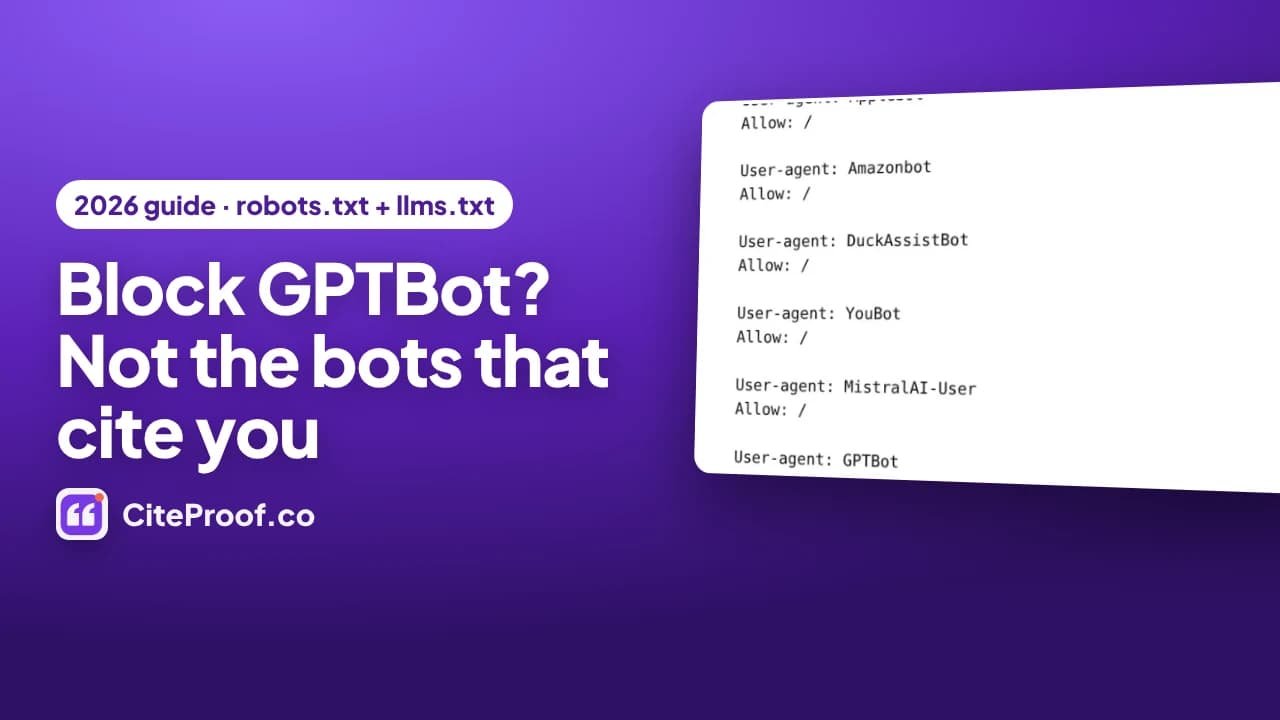
A WordPress store should allow the AI bots that bring citations (search bots and on-demand assistants such as OAI-SearchBot, ChatGPT-User, PerplexityBot, Claude-SearchBot, Googlebot, Bingbot, Applebot) and may block the training-only bots (GPTBot, ClaudeBot, Google-Extended, Applebot-Extended, CCBot, Bytespider and others) at no visibility cost. An engine that cannot read a page cannot cite it, so "block every AI bot" switches off AI visibility. llms.txt is a plain-text map of the site for language models: harmless, cheap, and not something any engine has announced it reads.
This is the written version of the video guide above, recorded on a demo WooCommerce store (Northbean Coffee Supply) with the CiteProof plugin. The plugin writes the rules and the file; the reasoning is the same if you edit robots.txt by hand.
Why a blocked bot means no citation
Every bot, search engine or AI, reads one file before anything else: robots.txt. Most WordPress stores are in one of two states. Either the file has no rule for AI bots, so they can read everything, or a plugin or a hosting default added a rule that blocks every AI crawler, and nobody remembers it.
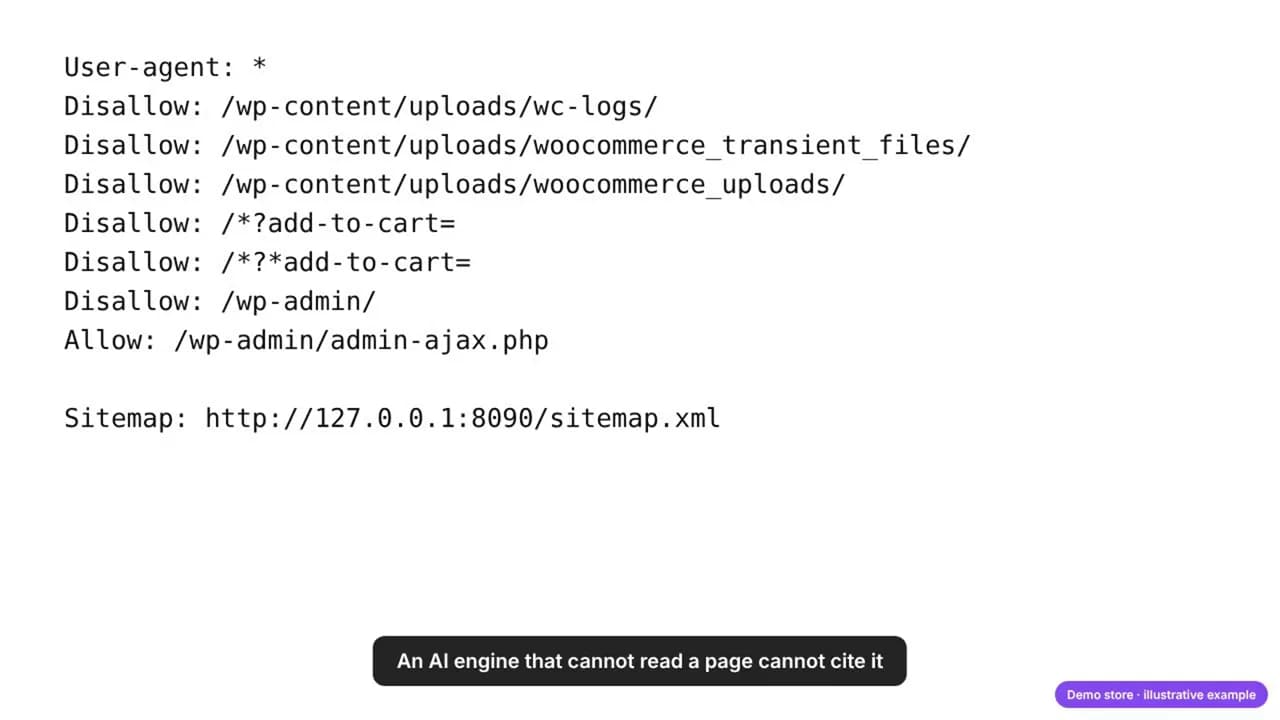
The effect is mechanical. When a user asks ChatGPT, Perplexity or Claude a question, the engine fetches a handful of pages before it answers, and names them as sources. A page it cannot fetch cannot be a source, whatever else you fixed on it: schema, descriptions, policies. Crawler access is the first check, before any content work.
The two kinds of AI bots
The mistake is treating all AI bots as one thing. They come in two groups, with different purposes and different consequences.
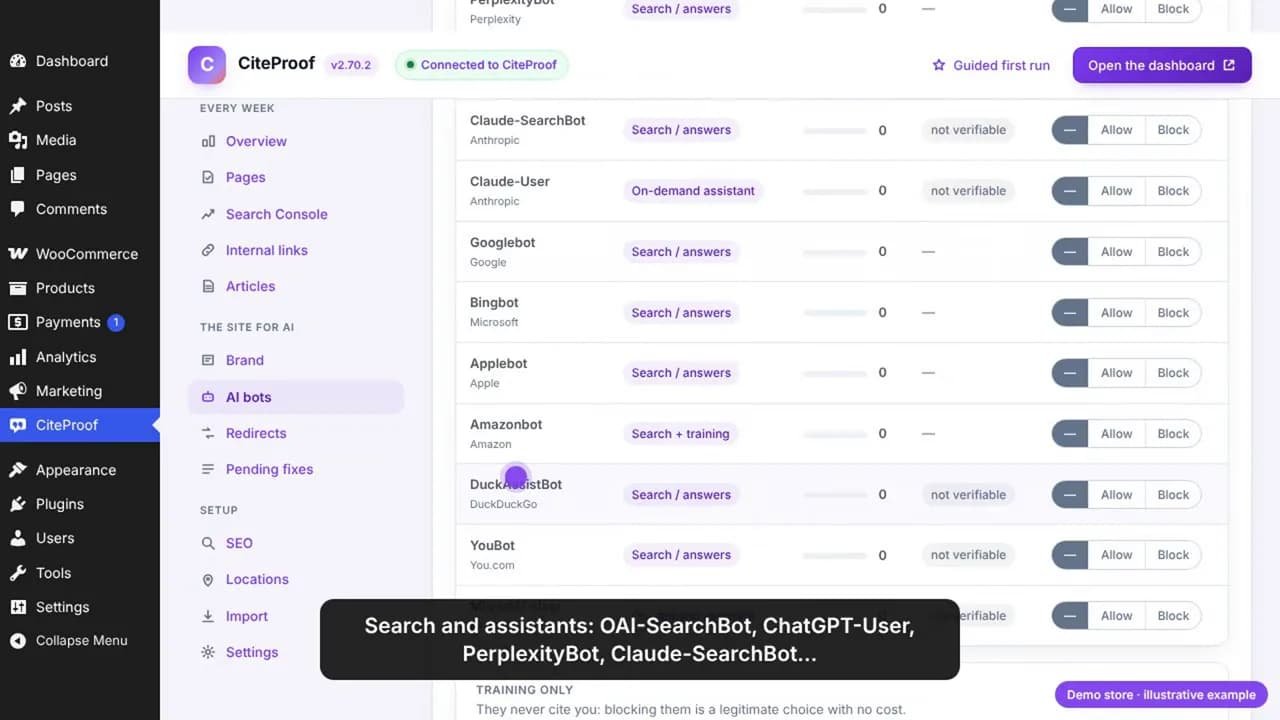
Bots that bring citations. Search bots and on-demand assistants: they fetch pages to answer a question, now, and the answer links to what they fetched.
| Bot | Operator | Purpose |
|---|---|---|
| OAI-SearchBot | OpenAI | Search / answers |
| ChatGPT-User | OpenAI | On-demand assistant |
| PerplexityBot | Perplexity | Search / answers |
| Perplexity-User | Perplexity | On-demand assistant |
| Claude-SearchBot | Anthropic | Search / answers |
| Claude-User | Anthropic | On-demand assistant |
| Googlebot | Search / answers (and AI Overviews) | |
| Bingbot | Microsoft | Search / answers (and Copilot) |
| Applebot | Apple | Search / answers |
| Amazonbot | Amazon | Search and training |
| DuckAssistBot | DuckDuckGo | Search / answers |
| YouBot | You.com | Search / answers |
| MistralAI-User | Mistral | On-demand assistant |
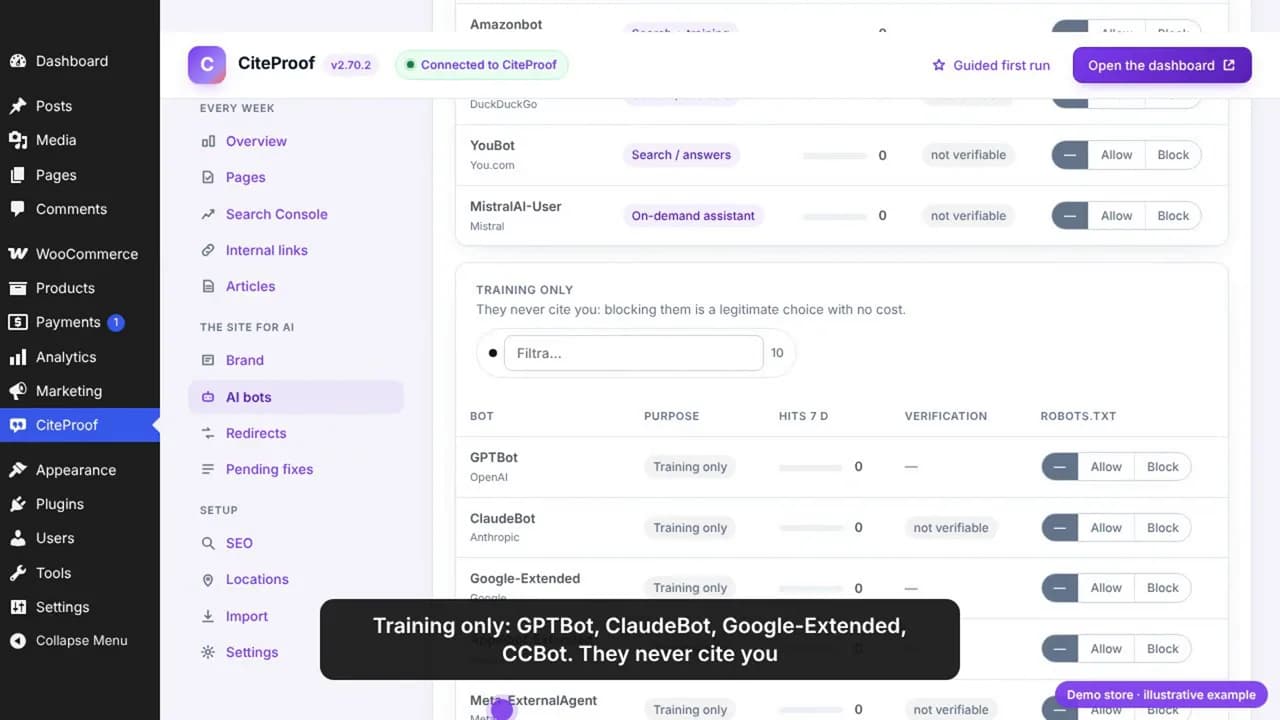
Training-only bots. They collect text to train models. They never cite you, and blocking them changes nothing about whether an answer names your store.
| Bot | Operator | Purpose |
|---|---|---|
| GPTBot | OpenAI | Training only |
| ClaudeBot | Anthropic | Training only |
| Google-Extended | Training only (Gemini); does not affect Search or AI Overviews | |
| Applebot-Extended | Apple | Training only |
| Meta-ExternalAgent, FacebookBot | Meta | Training only |
| Bytespider | ByteDance | Training only |
| CCBot | Common Crawl | Training only |
| Diffbot | Diffbot | Training only |
| cohere-ai | Cohere | Training only |
Blocking the first group switches off AI visibility. Blocking the second is a legitimate choice with no visibility cost: a matter of policy, not of SEO.
The preset: search yes, training no
You do not have to decide bot by bot. In the plugin, under AI bots, one preset, "Recommended: search yes, training no", opens the first group and closes the second. The table fills in and the box on the right shows exactly what will be written in robots.txt. Nothing changes until you press Save the rules. Google, Bing and Apple always stay allowed, because blocking them takes the store out of search.
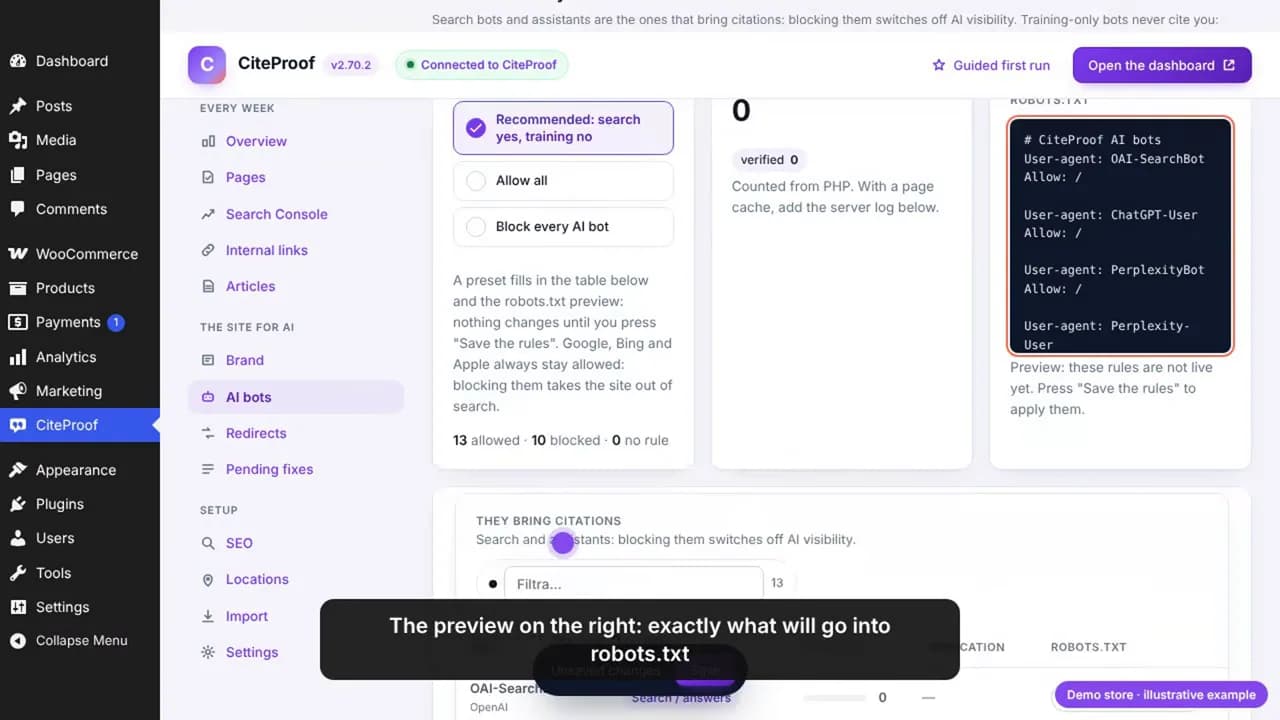
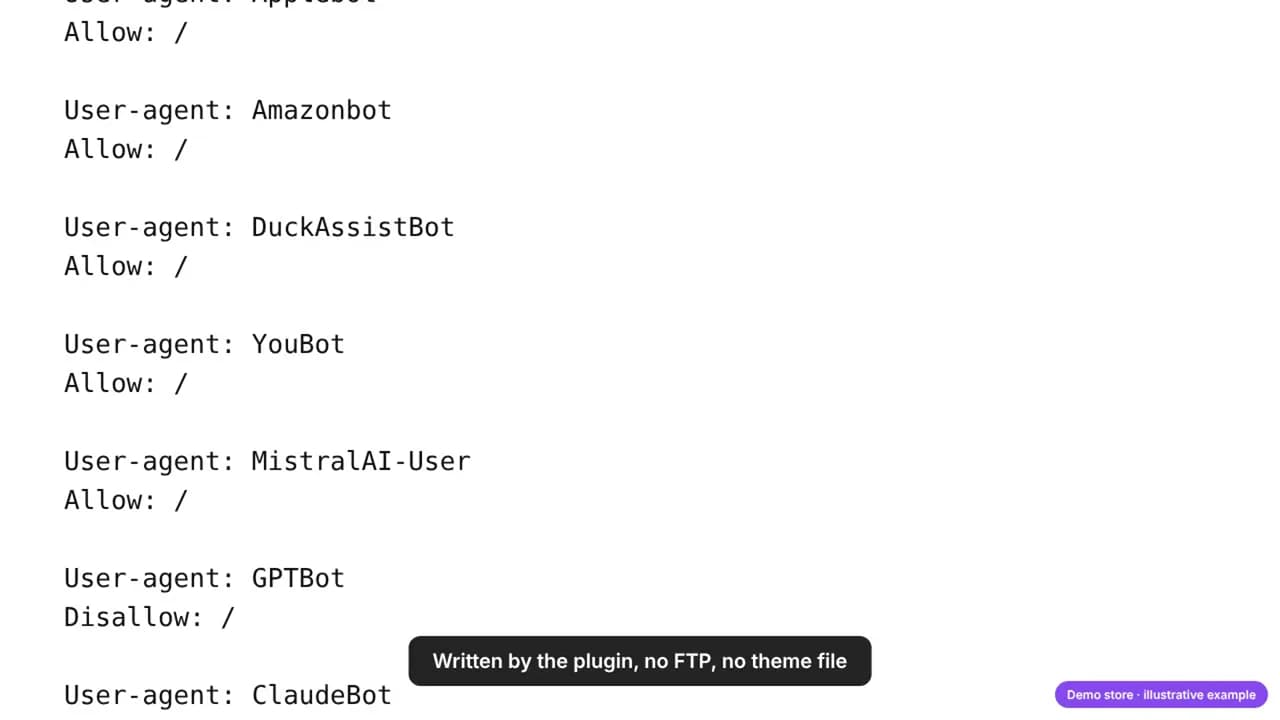
The rules the plugin writes, in robots.txt terms, look like this (one block per bot, shortened here):
# CiteProof AI bots
User-agent: OAI-SearchBot
Allow: /

User-agent: PerplexityBot
Allow: /

User-agent: GPTBot
Disallow: /

User-agent: ClaudeBot
Disallow: /

User-agent: Google-Extended
Disallow: /
The search and assistant bots get an explicit Allow, so the permission survives any catch-all rule another plugin may add; the training-only bots get Disallow; the sitemap line stays there for everyone. The plugin serves this on every request, so there is no file to upload and nothing to edit when a new bot appears: the list updates with the plugin. If you edit robots.txt by hand, the same rules apply; keep in mind that a Disallow: / under User-agent: * blocks everyone, including Googlebot.
Check what you already have. Many "block AI" plugins and hosting templates block OAI-SearchBot and PerplexityBot together with GPTBot. That is the setting that costs citations. The free scan reads your current robots.txt and names the bots it blocks.
Who actually reads the store: verification and the log
A rule is only half of it. The plugin records every visit by an AI bot: which bot, which page, when. For the bots whose operators publish their address ranges, the visit is verified against those ranges, so a scraper pretending to be Googlebot does not count. Bots whose ranges are not published are marked "not verifiable".
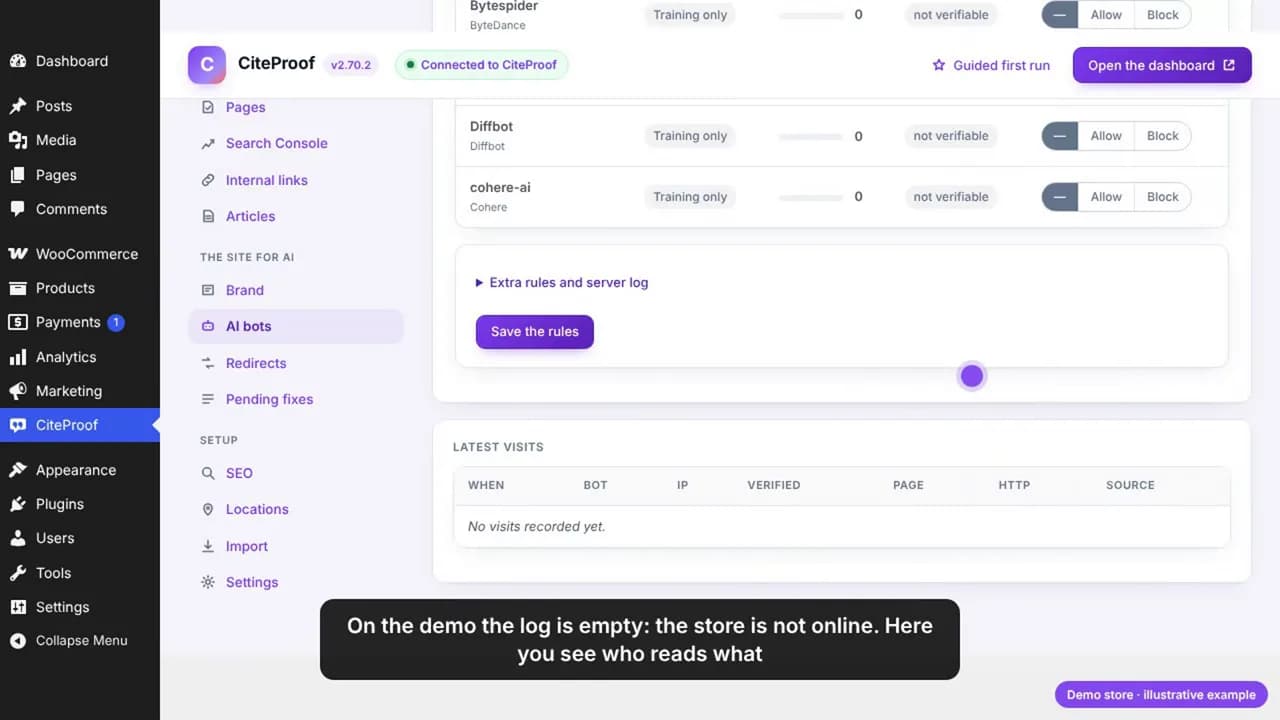
On a live store this log is where you learn which pages the engines actually read this week, and which important pages they never touched. With a page cache in front of WordPress, the PHP counter sees fewer visits: add the server log and the plugin reads it from there.
What llms.txt is, and what it is not
llms.txt is a plain text file at the root of the site, a short map written for language models: the name of the store, one line about what it does, the main pages, the recent articles, the product categories. The plugin generates it from the site content and refreshes it daily, so it never goes stale, and it is served virtually: no file on disk, so it works on read-only hosts.
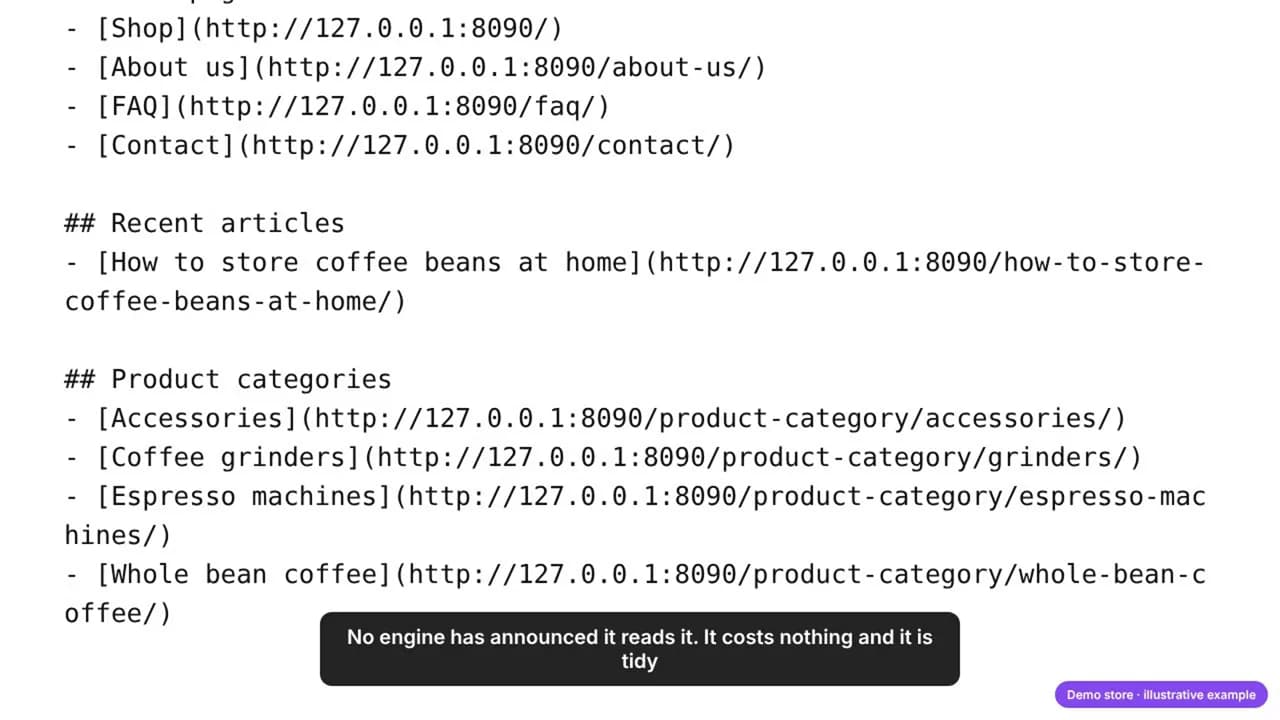
Be precise about what it is worth. No AI engine has announced that it reads this file, so it does not move a score and it does not replace the content on the pages. It costs nothing, some customers and tools expect it, and a tidy one does no harm. What actually gets a page discovered is a link to it from a page that is already read.
The plugin's Overview crosses the visit log with your content and lists the important pages no AI has read. Three actions, in the order they matter: link them from the pages that are read; send them to IndexNow, the protocol Bing and others use to pick up new addresses; put them at the top of llms.txt.
Where it all lives
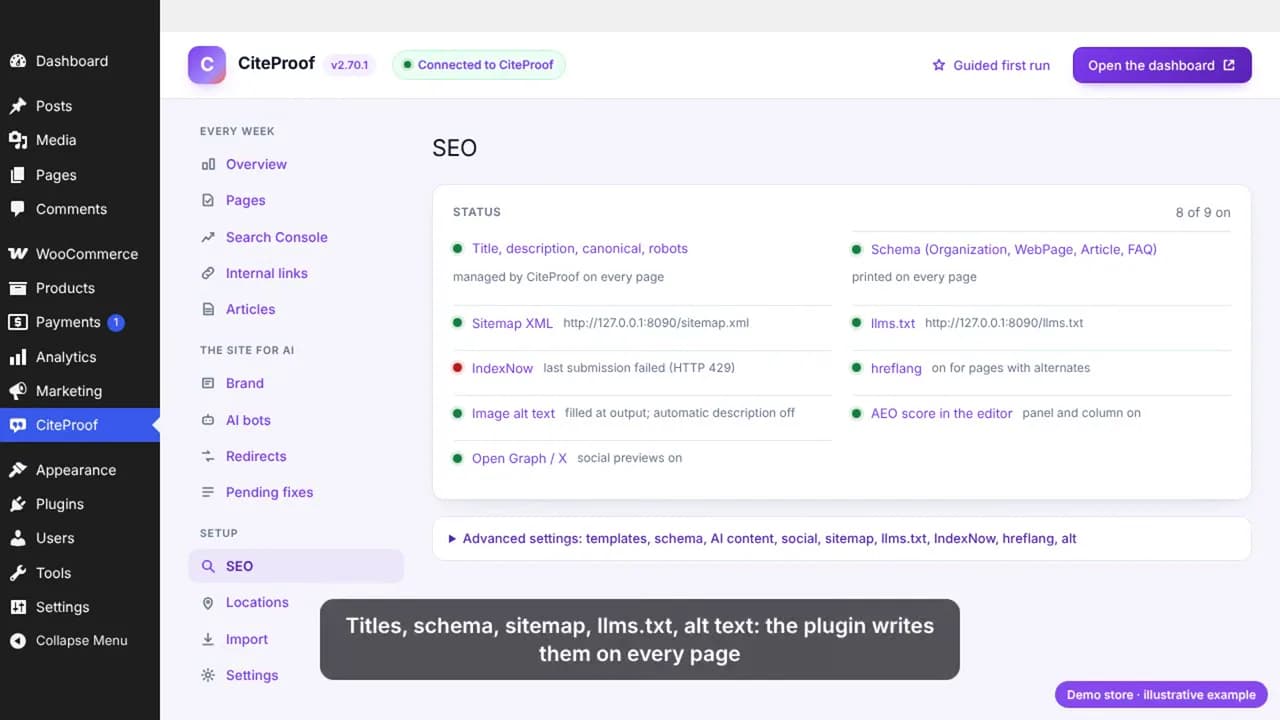
Everything in this guide is one screen in the plugin: the SEO status shows robots rules, sitemap, llms.txt, IndexNow and the schema, each on or off, each with its link. Nothing is written to the theme and nothing needs FTP. Check that screen once a month and the bot log once a week; that is all the maintenance there is.
Which AI bots does your store block today?
The CiteProof free scan reads your robots.txt and your pages the way the engines do, and tells you which bots to open first.
Frequently asked questions
Should I block GPTBot on my WordPress store?
You can, at no cost to AI visibility: GPTBot only collects training data and never cites a page. What you must keep allowed are OAI-SearchBot and ChatGPT-User, the bots ChatGPT uses to fetch pages when it answers a question and names its sources.
Does blocking Google-Extended remove me from Google AI Overviews?
No. Google-Extended controls whether your content trains Gemini models; it does not affect Googlebot, Search or AI Overviews, which use the normal Google index. Blocking Googlebot would remove you from all of them.
What is llms.txt and do I need one?
A plain-text file at the site root that lists the site's main pages for language models, in the spirit of robots.txt. No engine has announced that it reads it, so it is optional; it costs nothing and the plugin generates it from your content. Crawler access and page content decide citations, not this file.
How do I know whether an AI bot really visited my site?
Compare the visitor's address with the ranges the bot's operator publishes. The plugin does this for the bots that publish them and marks each visit as verified; bots without published ranges are shown as not verifiable. A user agent string alone can be faked.
I use a cache plugin. Will the visit log still work?
Partly: pages served from the cache do not run PHP, so the counter misses them. Add the web server's access log in the plugin (the "Extra rules and server log" section) and the visits are read from there.
Does this apply to Shopify too?
The reasoning is the same, but Shopify manages robots.txt through the theme's robots template and the CiteProof app checks crawler access from the store check. This guide covers WordPress and WooCommerce, where the plugin writes the rules.
Read next
CiteProof tracks your brand's visibility across AI answer engines and tells you what to change to get cited. With one rule: the score only moves up after the Verify Bot confirms the fix is actually live.