How to Get Your Shopify Store Cited by ChatGPT (2026 Guide)
What ChatGPT, Perplexity and Google AI actually read on a Shopify store before they name it in an answer, and the six steps to give it to them: measure your customers' questions, one identity on the home page, product pages with complete data, a buying guide on every collection, policies written from facts, then measure again.
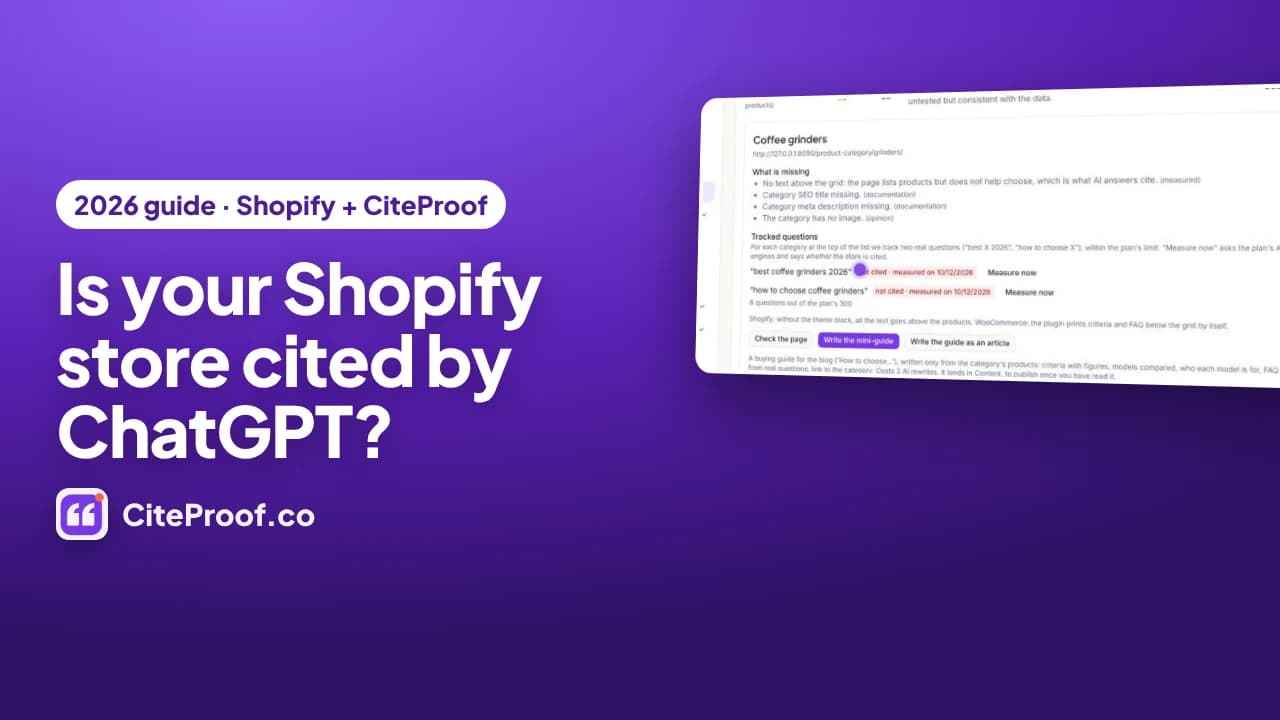
To get a Shopify store cited by ChatGPT, give the AI engines the three things they check before naming a store: one clear identity on the home page, product and collection pages with complete, factual text, and return and shipping policies stated as facts. Then measure the questions your customers ask, change what the engines read, and measure again. Being cited is not a ranking and not an ad: it is being the page the AI reads before it answers.
This is the written version of the video guide above. Everything is shown on a demo store, Northbean Coffee Supply, a small catalog of home espresso gear with the problems most stores have: thin product descriptions, missing GTINs, photos without alt text, collection pages that are only a grid, and no return or shipping policy. The steps are the same on any Shopify store; for WordPress there is a companion guide, How to get your WooCommerce store cited by ChatGPT, where the plugin does most of the work.
About the screens. The screenshots come from the video: the Store section of the CiteProof dashboard on the Northbean Coffee Supply demo catalog, with its real first measurements of 12 October 2026. The CiteProof app inside Shopify admin shows the same data and applies the same changes to products, collections and policies.
Key facts from the demo store
| What was measured | Result on Northbean Coffee Supply |
|---|---|
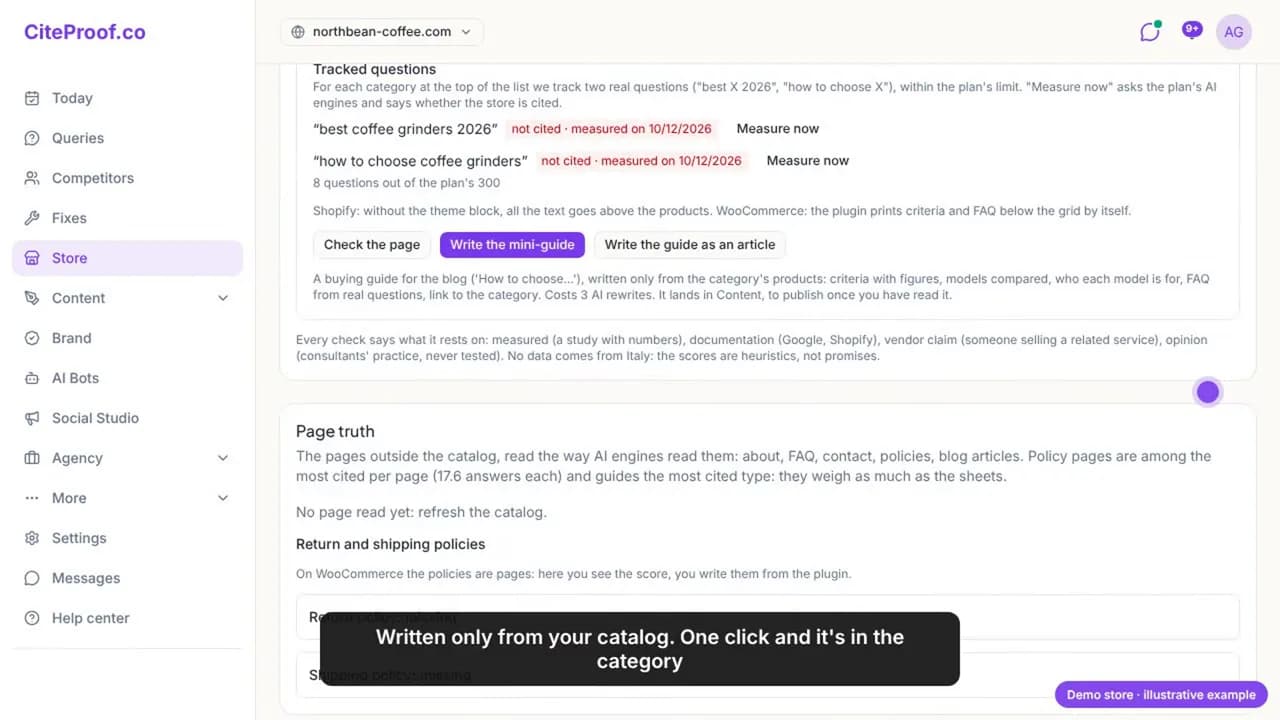
| Tracked customer questions (2 per collection) | 8, not cited on any engine (measured 12 October 2026) |
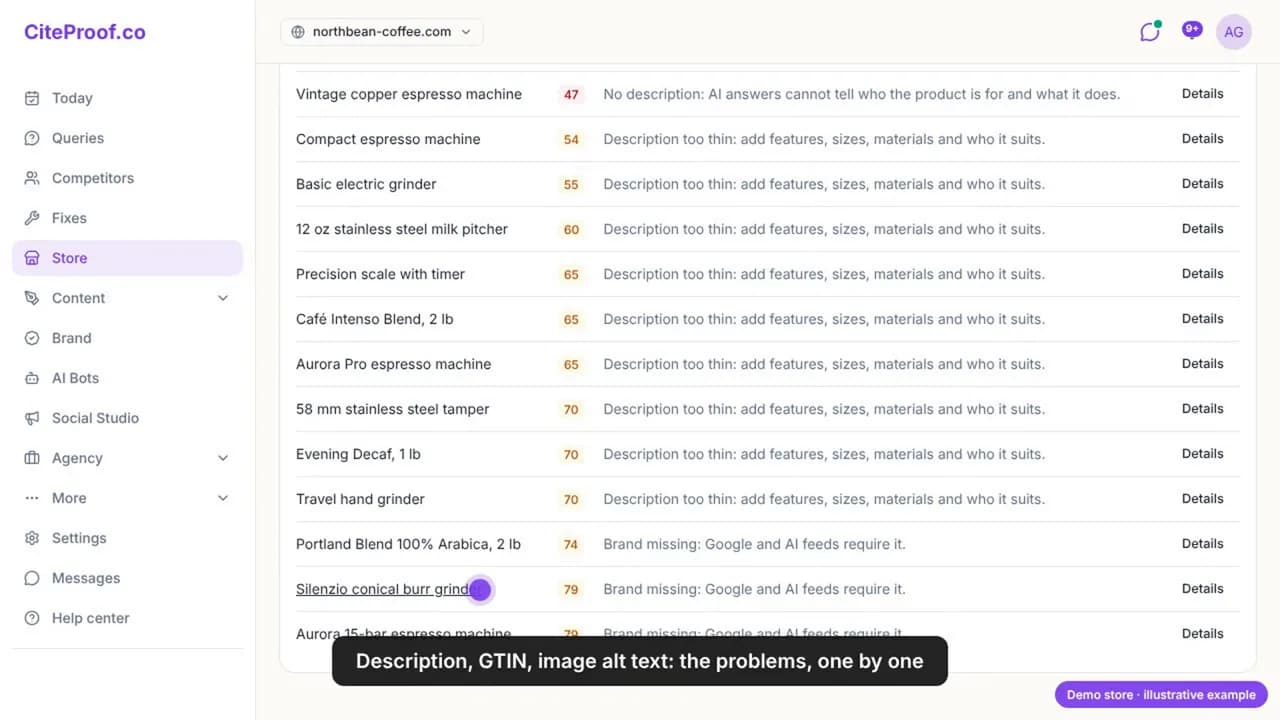
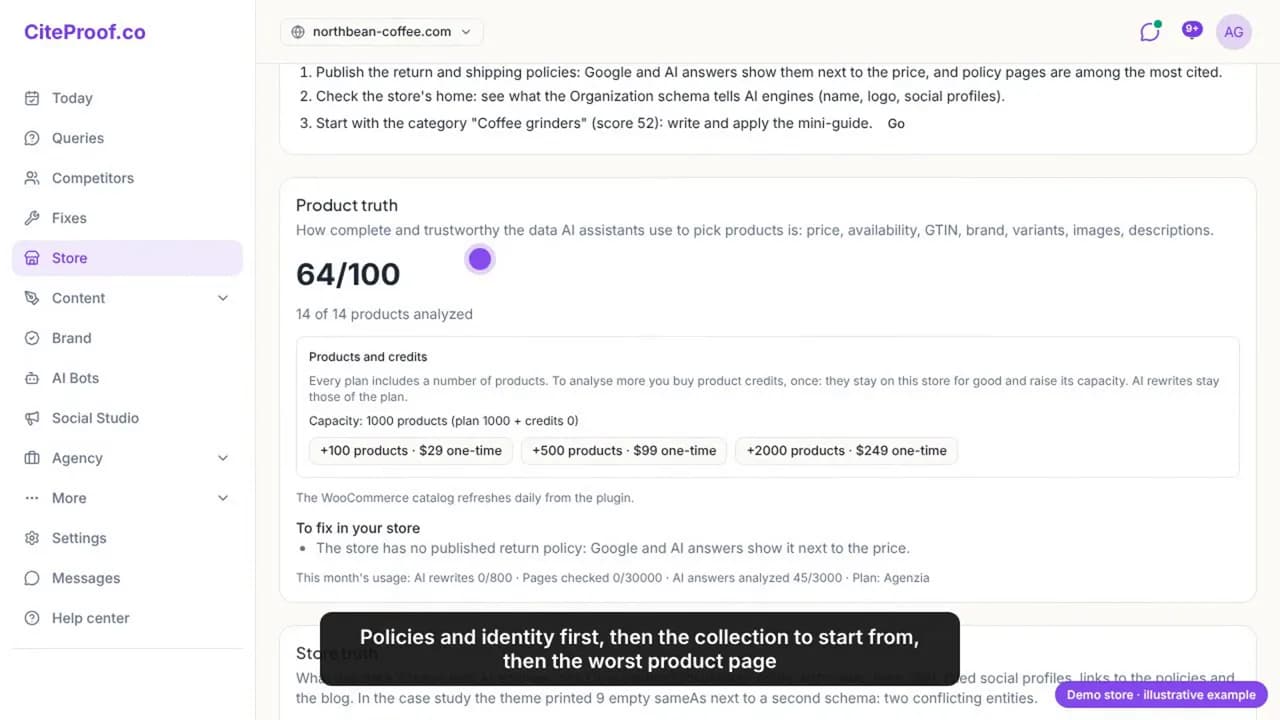
| Product truth, average | 64 out of 100 across 14 products |
| Weakest products | 2 products with no description at all, 47 out of 100 |
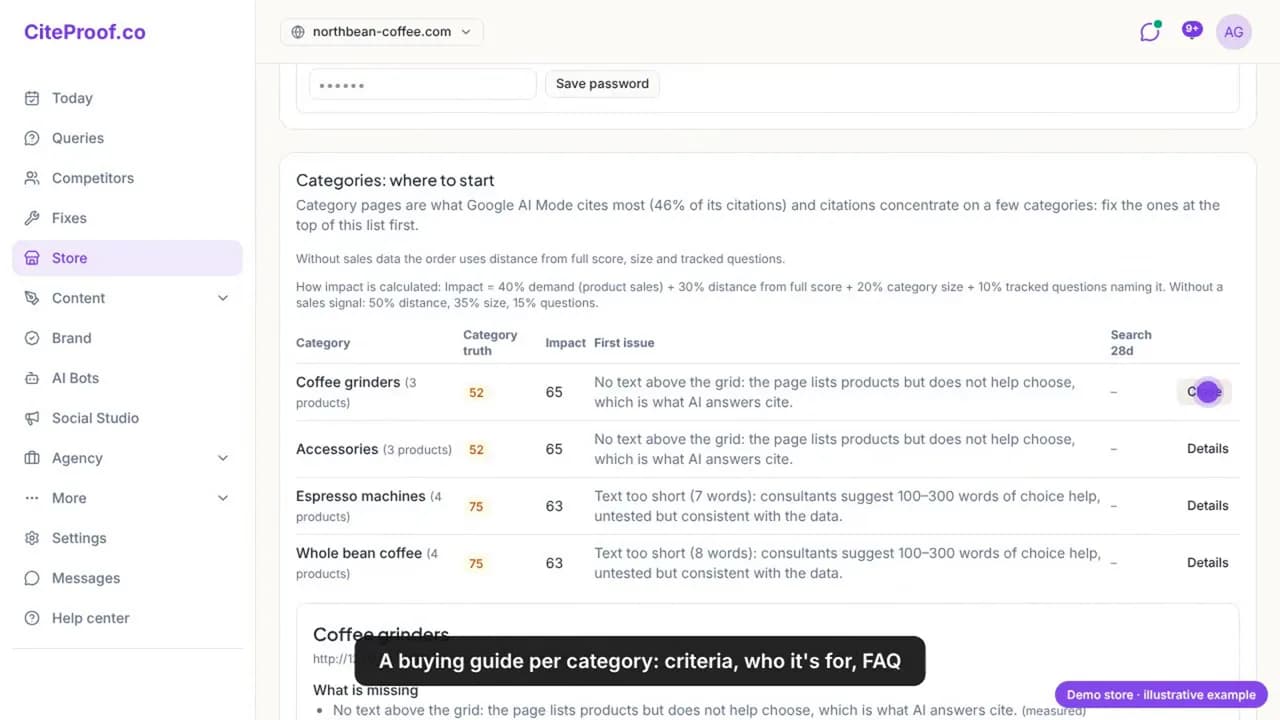
| Collections with no text above the grid | Coffee grinders and Accessories, 52 out of 100 |
| Return and shipping policies | both missing |
What "cited by ChatGPT" means
When a shopper asks an AI engine for the best espresso machine for a small kitchen, the answer names a handful of stores and links to a few pages. A store is cited when the answer names it, or uses one of its pages as a source. The same mechanism applies to Perplexity, Gemini and the AI Overviews in Google Search: a short, generated answer with a small set of sources, picked from pages the engine could read and trust.
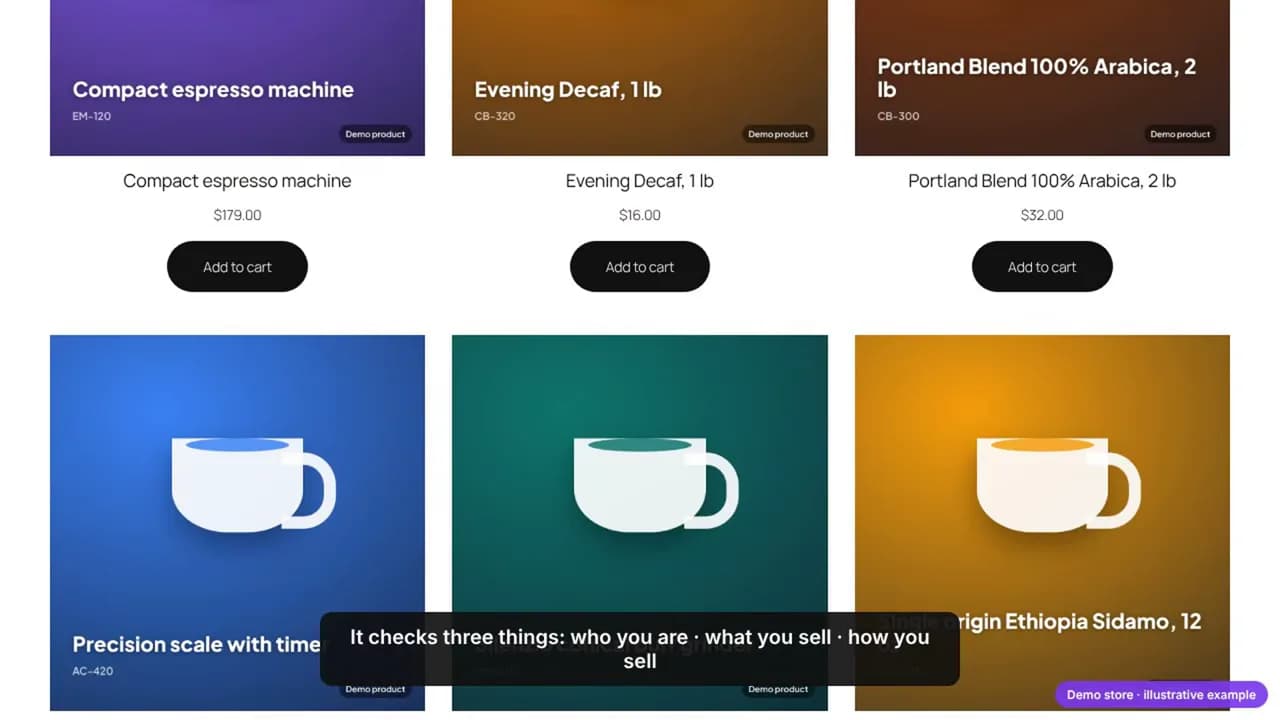
Two facts decide most of what follows:
- AI engines read single pages, not stores. A citation points to one URL: a collection page, a product page, a policy page, a guide. The home page matters for identity, but the pages that get quoted are the ones that answer a question.
- On every page they check three things. Who you are (the identity on the home page), what you sell (product data: descriptions, codes, images), and how you sell (returns, shipping). If one of the three is missing, the engine picks another store.
The pages cited most are the ones that help choose: a collection page with a short guide above the products, a product page with complete data, a policy page with clear terms. A grid of products with no text gives the AI nothing to quote.
Step 1 · Measure your customers' questions
Start with facts, not guesses. For each collection, write down the two questions shoppers actually type: "best coffee grinders 2026" and "how to choose coffee grinders", and the same pair for every other collection. Ask them to the AI engines today and note, for each engine, whether your store is named, with the date.
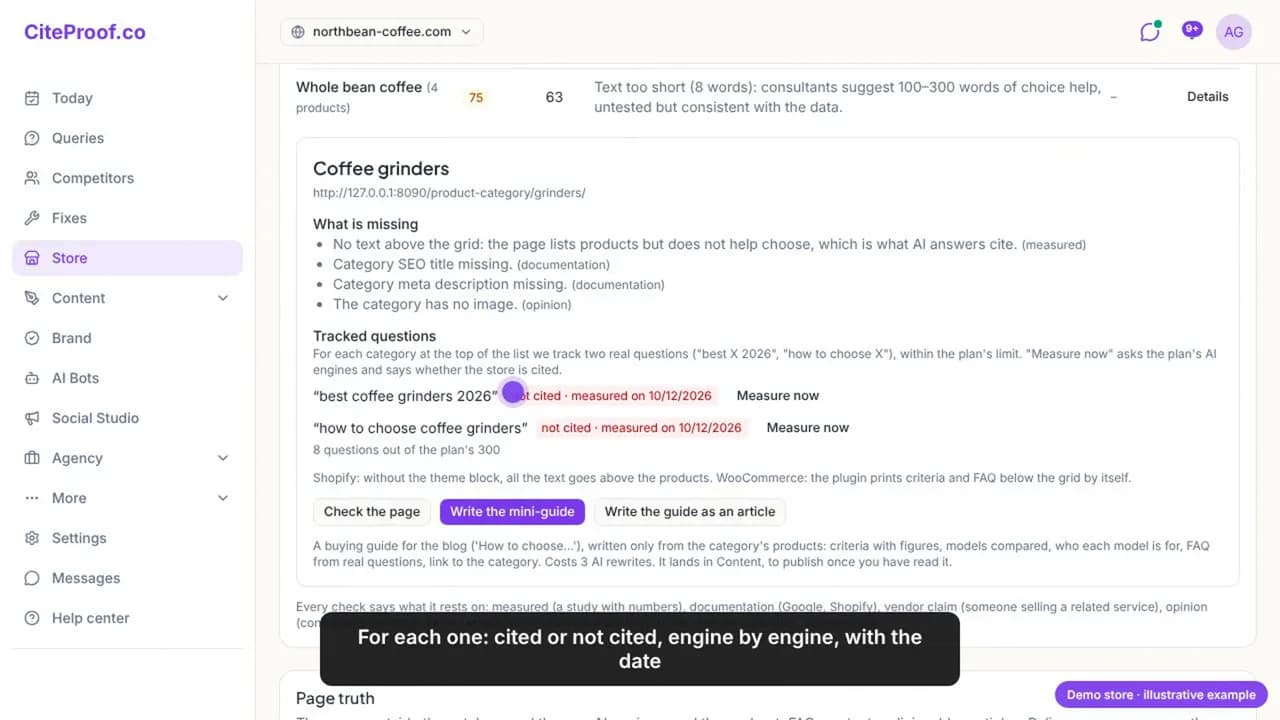
CiteProof does this from the Store section: two tracked questions per collection, a Measure now button, and the result engine by engine. On the demo store the answer is not cited everywhere. That is the starting point, and it is where most stores are. Every step that follows exists to change that answer, and the only way to know it changed is to measure the same questions again later.
Keep the list. The questions, the engines and the dates are your baseline. Citations move in weeks, not hours, so a measurement without a date is not a measurement.
Step 2 · Your home page: one identity
Before it recommends a store, an AI engine reads the home page: who you are, your logo, where your reviews live. On Shopify this is the Organization schema in the page head, often written twice, once by the theme and once by an app, with different names, no logo and no link to the reviews. Two identities that contradict each other read as "unclear" to a machine.
What to do:
- Have one
Organization(orOnlineStore) entity in the head, with the legal name, the logo, contact details, social profiles and links to the policy pages. - Check that the AI bots can get in: a
robots.txtthat blocks GPTBot, PerplexityBot or Google-Extended means no citation, whatever else you fix.
CiteProof checks the home, shows what the current schema says, and writes one Organization from your confirmed business sheet in one click. It can be undone.
Step 3 · Product pages AI can understand
Every product page is scored on what the AI can understand and what is missing. The three most common issues on the demo store, and on most stores, are a description of two lines, no GTIN, and photos without alt text. To an AI engine a product like that barely exists: it cannot tell who it is for or what it does, and a shopping assistant cannot match it to a query.
A product page the engines can use has:
- A description written from the product's data: what it is and for whom, features with figures, use cases, specifications, a short FAQ. No number that is not in your data.
- A GTIN (EAN or UPC) on every variant that has one, so the product can be matched across catalogs and Google Shopping.
- Alt text on every photo, short and concrete, written by looking at the image.
ProductJSON-LD that matches what the page shows: name, image, price, availability, GTIN.
CiteProof writes the rewrite from the product's real data and the alt texts from the images; you read, apply in one click, and undo if you change your mind. On WooCommerce the plugin applies the same changes on its next sync.
Step 4 · Collection pages: the buying guide
This is the step that moves citations the most. AI answers quote guides: how to choose, which model for whom, what to look for. A collection page that is only a grid gives them nothing to quote. The fix is a short buying guide on the collection page, above or below the products:
- Choice criteria for that category (for grinders: burr type, grind settings, dose, noise, price range).
- Who each model is for, naming the products you actually sell.
- Frequently asked questions, taken from the tracked questions and from searches that land on the page.
CiteProof ranks your collections by impact, so you know where to start, and writes the mini guide for each one using only your catalog: every price and every model in the guide is one you sell. One click puts it under the product grid (with the app's theme block) and another turns it into a blog article that links back to the collection.
Step 5 · Returns and shipping, written from facts
Without a clear return policy, an AI engine will not recommend a store, and Google shows the policies right next to the price. The demo store has neither a return nor a shipping policy, so both are flagged as missing.
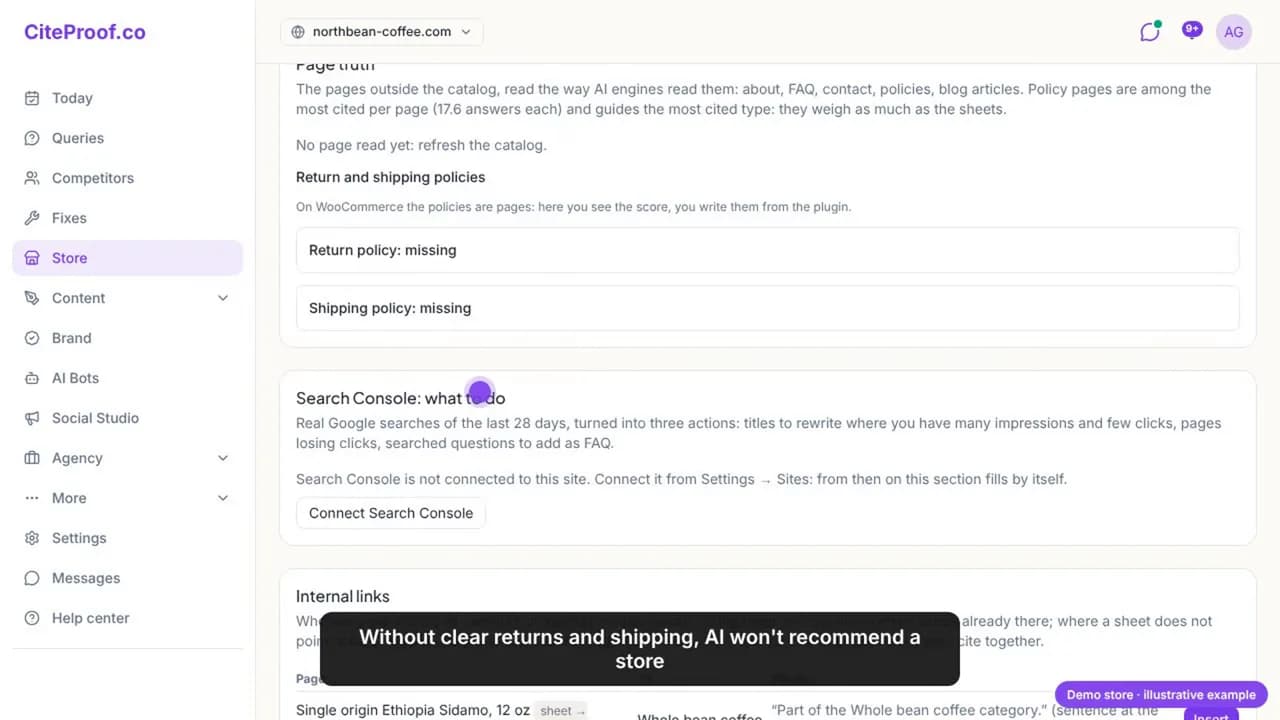
Write them from facts, not adjectives: how many days to return, who pays for the return shipping, how and when the refund is made, delivery times and costs by destination. Publish them on the policy pages Shopify already provides and link them from the footer and from the Organization entity. CiteProof asks you for the facts, drafts both policies from those facts only, and publishes them to Shopify in one click; on WooCommerce you paste the draft into the page and the plugin's SEO box tells you whether the AI finds it clear.
Step 6 · Work in order and measure again
You do not need to do everything at once. The To do today list gives the three things that matter now, by weight: the policies and the identity of the store, the collection to start from, the worst product page. Do those three, then come back.
After each change, measure the questions again: the same question, the same engines, a new date. Citations move in weeks, not hours, so measure once a month and keep the dates. That is the whole method: measure, fix what the AI reads, measure again.
See where your own store stands
The CiteProof free scan reads your Shopify store the way the AI engines do: identity on the home page, crawler access, product data, collection pages, policies. You get the list of what to fix first, with no projections and no promises.
Frequently asked questions
How do I check if ChatGPT already cites my Shopify store?
Ask it the questions your customers ask, one collection at a time ("best X 2026", "how to choose X"), and note whether the store is named and which pages the answer links to. Repeat on Perplexity and Gemini and keep the date. CiteProof tracks these questions per collection and measures them on the engines of your plan with one click.
Does Shopify's own AI or schema make my store citable automatically?
No. Shopify carries your data to the AI shopping surfaces and emits basic schema, but it does not improve the data. A two-line description, a missing GTIN or two conflicting Organization entities travel as they are. The steps above are about making the data complete and consistent before any engine reads it.
Which page of my store gets cited: the home page or the product page?
Mostly the pages that answer a question: collection pages with a buying guide, product pages with complete data, policy pages. The home page decides whether the engine trusts the store at all (identity, logo, reviews, policies linked), but it is rarely the page quoted.
How long does it take to see citations change?
Weeks, not hours. Engines re-read pages on their own schedule and Google AI Overviews follow the index. Measure the same questions once a month with the same engines and compare the dates; a single measurement says nothing on its own.
Do I need llms.txt to be cited by ChatGPT?
It is not required. What is required is that the bots can access the pages (robots.txt) and that the pages carry complete, factual text and schema. An llms.txt file that lists collections and products helps an engine navigate a large store; it does not replace the content on the pages.
Does this work for WooCommerce too?
Yes. The method is the same; only the way changes are applied differs: on Shopify the app writes directly to products, collections, policies and the theme head, on WooCommerce the CiteProof plugin applies the same changes on its next sync and prints the collection guide under the grid by itself.
Read next
CiteProof tracks your brand's visibility across AI answer engines and tells you what to change to get cited. With one rule: the score only moves up after the Verify Bot confirms the fix is actually live.