Internal Linking for WordPress & WooCommerce: Find Orphan Pages and Link Them Automatically (2026)
How to find the orphan pages on a WordPress or WooCommerce site and link them automatically, on words already in your text: a site link plan with rules (at most 3 new links per page, no duplicates), one-click undo, and an AI sentence you approve when no page has the words.
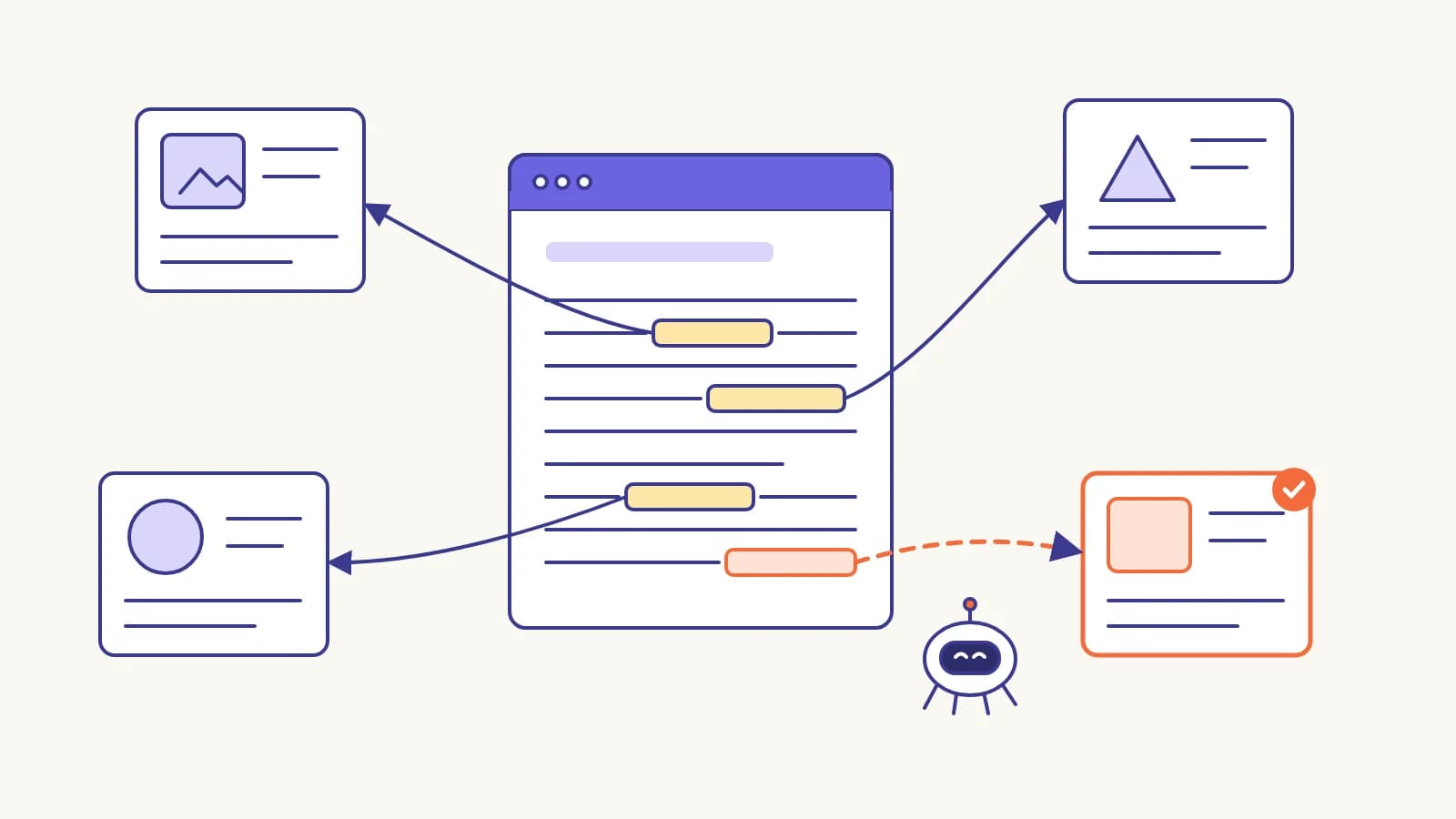
An orphan page is a page no other page of the site links to: crawlers reach it only through the sitemap, if at all. To fix it on WordPress or WooCommerce, find the pages that already mention the orphan's topic and link the words that are already there. The CiteProof plugin does this as a site link plan: it picks the pages that need links, the words (Search Console queries first, then the focus keyword and title) and the pages that contain them, with at most 3 new links per page, never two links to the same page and never the same words towards two pages. Every link is logged and comes off in one click. When no page has the words, an AI can add a short clause with the link to one sentence, which you approve.
This guide uses a demo WooCommerce store (Northbean Coffee Supply) with the CiteProof plugin, the same store as the WooCommerce guide. The demo has no Search Console connected, so the link words come from the focus keywords; the numbers below are the ones the plugin showed on it.
Why orphan pages are a problem
Google says it uses links "to find new pages to crawl", and that "every page you care about should have a link from at least one other page on your site" [1]. Most new pages are found by following a link from a page Google already knows; a sitemap is the other way in [2]. The AI engines' search crawlers are crawlers too: a page that nothing links to is a page they rarely read, and a page they do not read is not one they can cite.
Stores create orphans without noticing. A blog guide names three products and links none of them. A new product goes live and the only path to it is the category grid. An About page exists only in the footer menu of one theme.
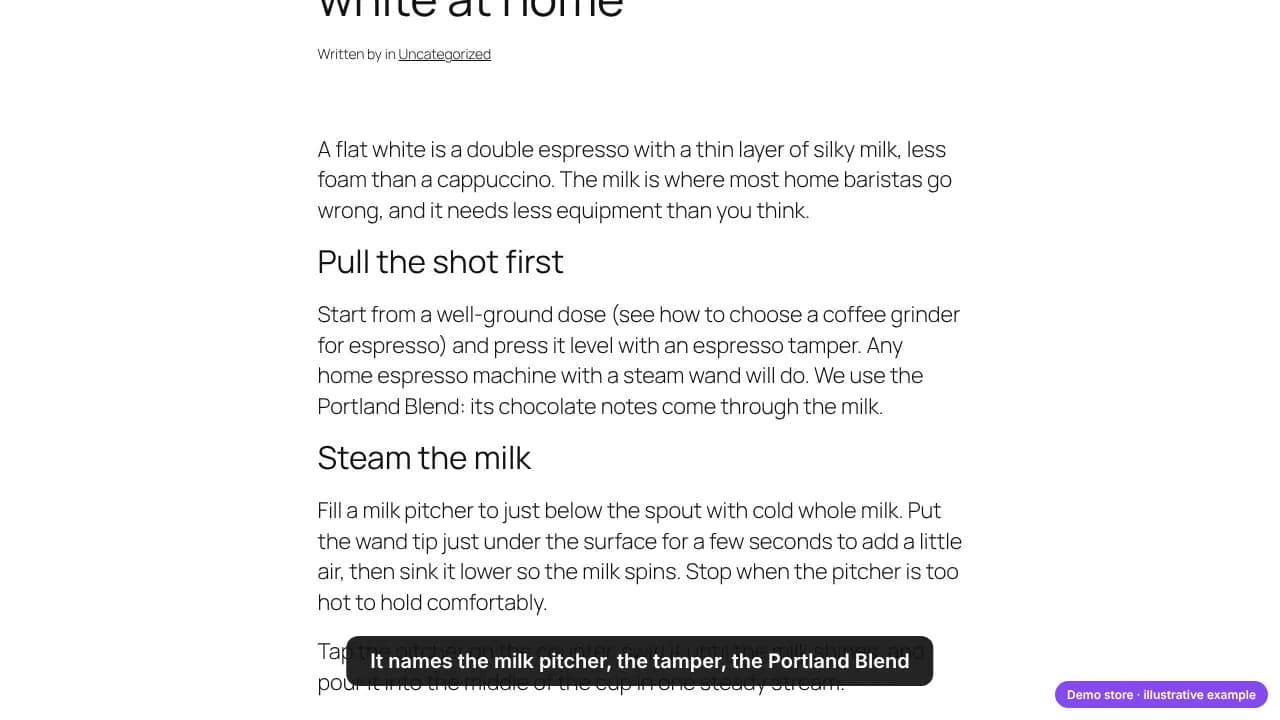
Fixing that by hand means opening every page, remembering every other page, and finding a sentence that fits. On two hundred pages nobody does it. That is the job of a link plan.
The site link plan
In the plugin, CiteProof → Internal links opens with four numbers: indexed items, orphan pages, pages linkable now, links written by CiteProof. On the demo store: 25 pages indexed, 25 orphans. Not one page linked another.
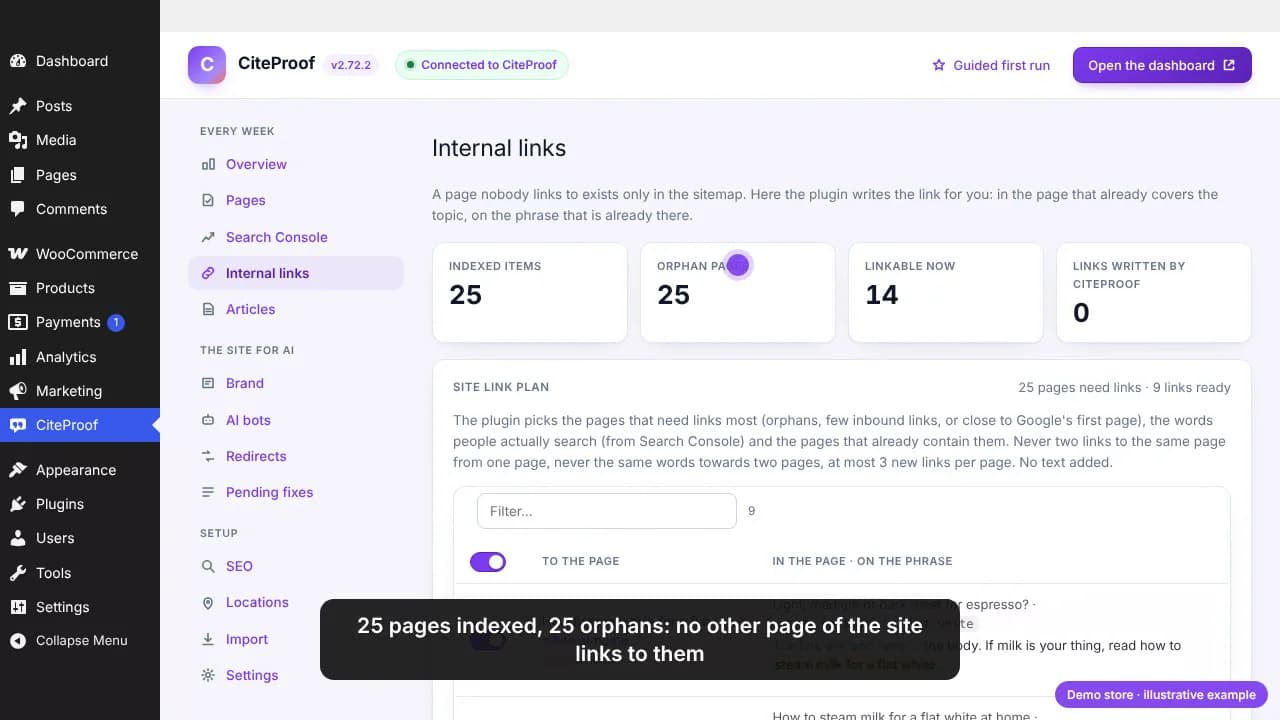
Under the numbers, Site link plan looks at the whole site at once:
- Which pages need links: orphans, pages with only one or two inbound links, and, with Search Console connected, pages Google shows between position 4 and 20 with enough impressions, where a few links can make a difference.
- Which words: first the searches each page already gets impressions for in Search Console (marked searched on Google), then its focus keyword and its title.
- Where: pages that already contain those words and do not link the target yet. Nothing is added to the text: the link goes on a phrase that is already there.
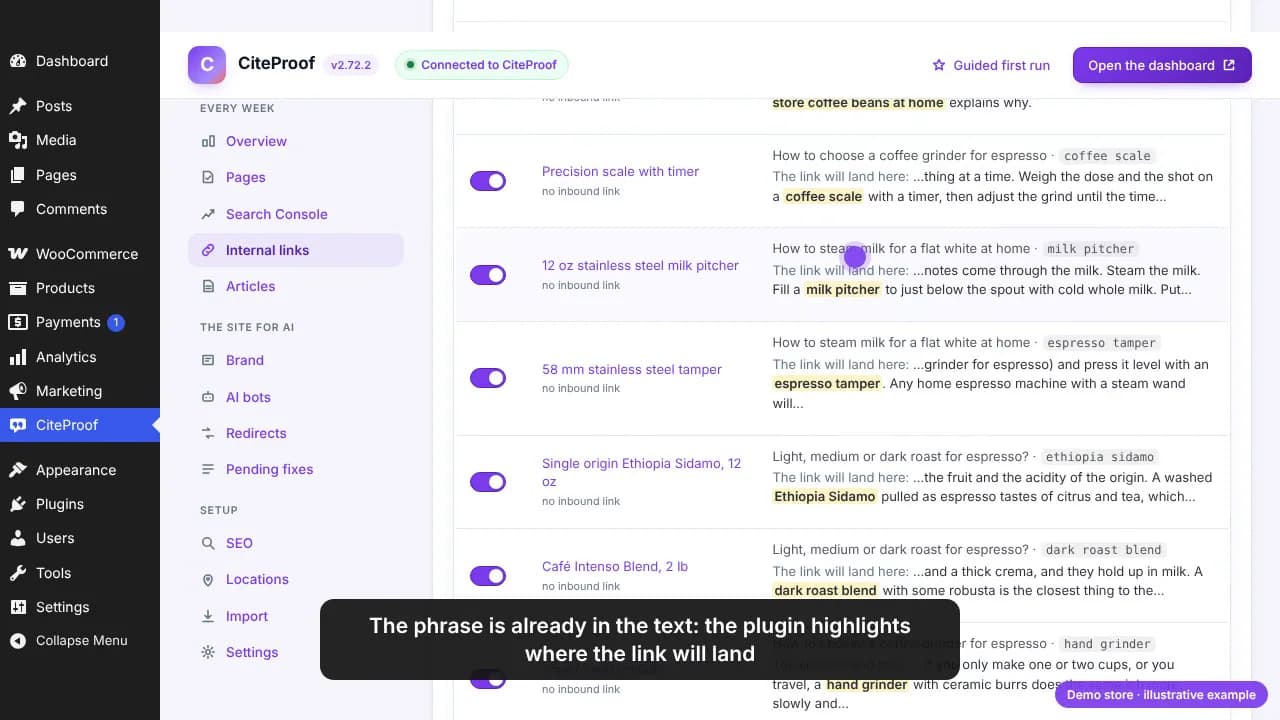
Each row shows the target page, the page the link will go into, the phrase, and the sentence with the phrase highlighted where the link will land.
The rules keep the result readable for people and unambiguous for search engines:
| Rule | Why |
|---|---|
| At most 3 new links per page in one round | A page full of new links reads like a link farm |
| Never two links to the same page from one page | The second link adds nothing |
| Never the same words towards two different pages | Two pages would compete for the same words |
| No links in headings, code or inside another link | The text stays valid and readable |
| Pages already full of links are left alone | They have no room for more |
The link text matters: Google asks for anchor text that is "descriptive, reasonably concise, and relevant" to both pages [1]. Words people already search for, or the page's own keyword, fit that description better than "click here".
Write the links in one click
Untick any row you do not want, then press Write the selected links. The plugin wraps the first occurrence of each phrase in a link, outside headings, code and existing links, and leaves everything else as it is. On the demo store: nine links, written in a second.
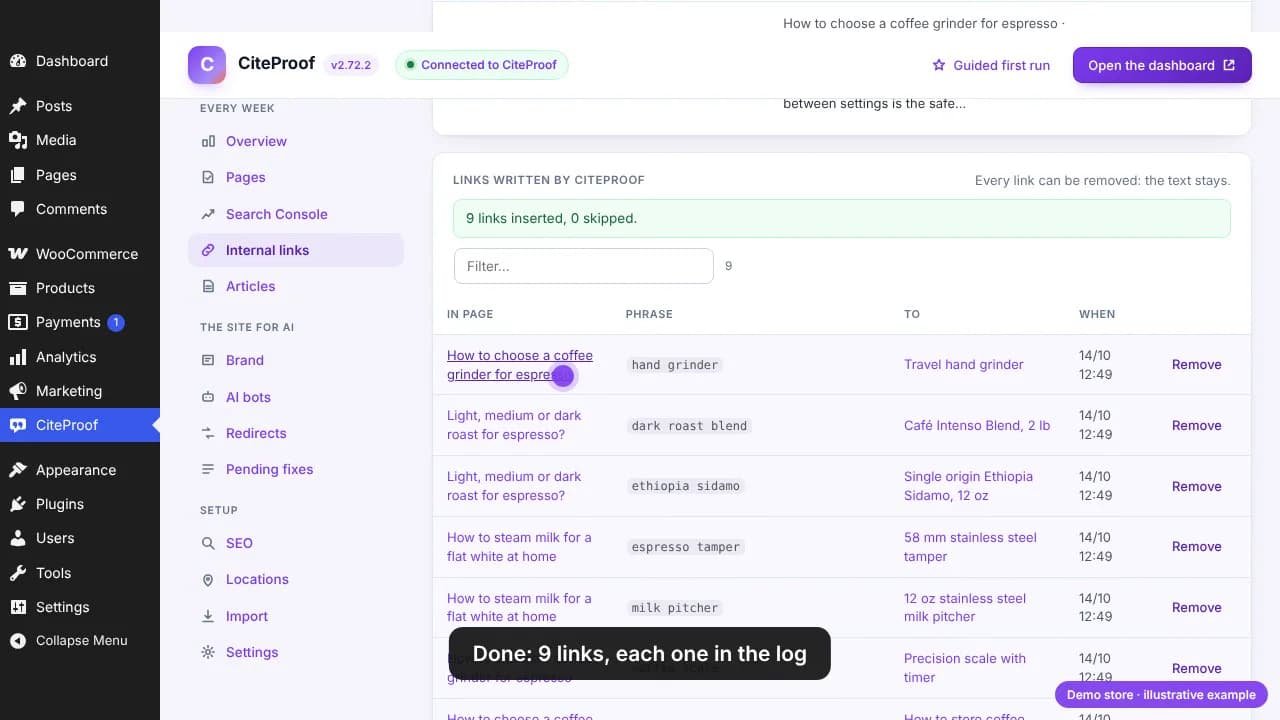
Every link goes in the log: the page, the phrase, the target, when. Remove takes a link off and the text stays exactly as it was.
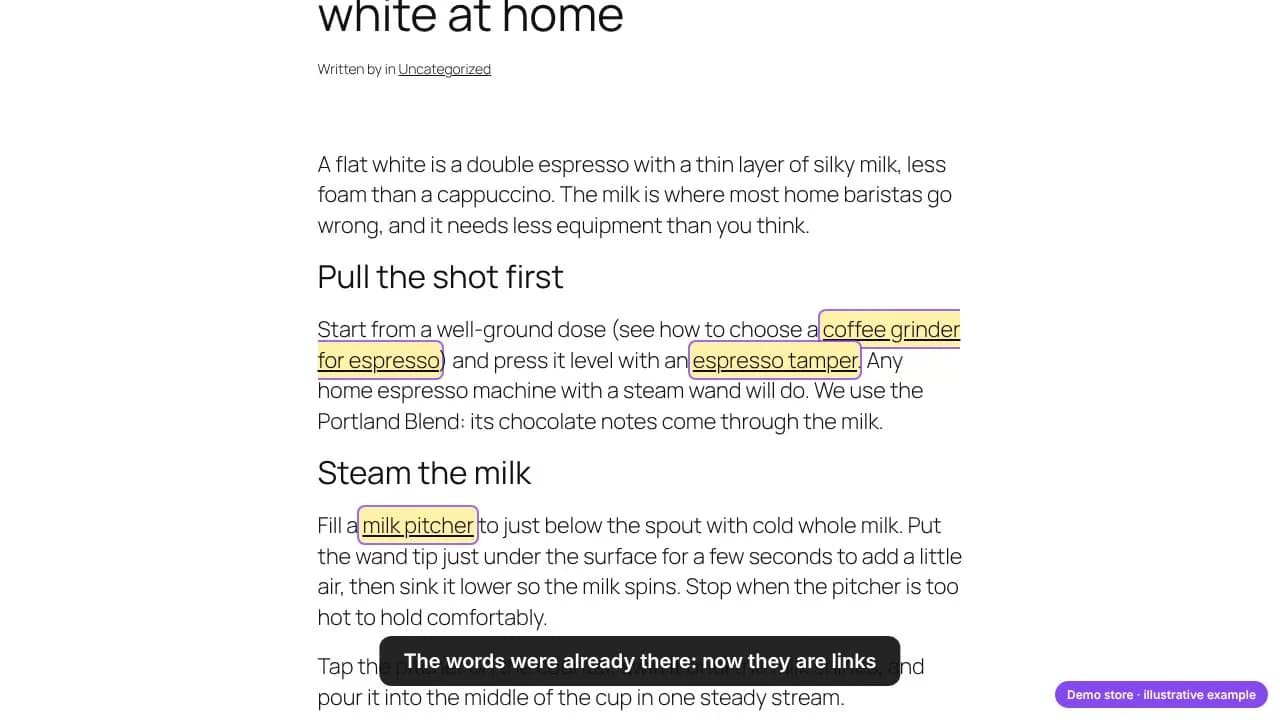
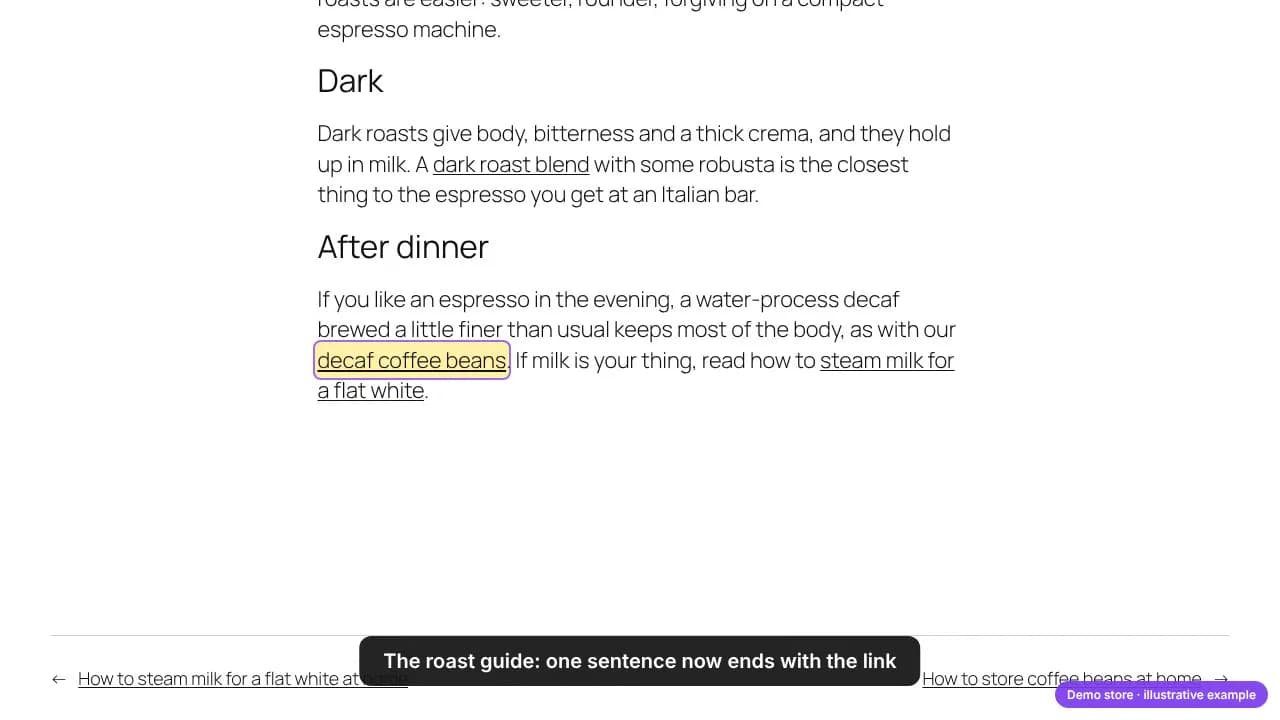
The same guide, after the plan: the words were already in the text, now they are links. Three of them, because that is the most the plan writes into one page in a round.
The next round and the weekly run
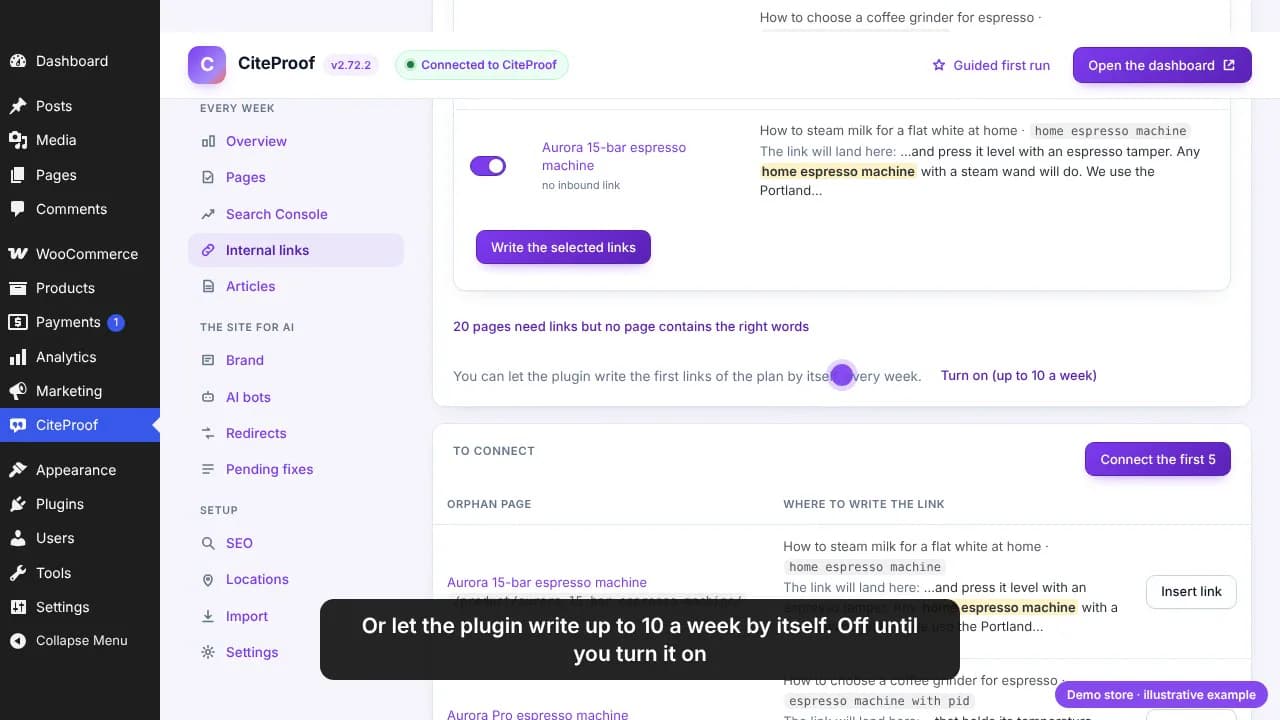
The plan is computed again right away. On the demo, five more links were ready (the espresso machines, the grinder, the Portland Blend), still at most three new ones per page. You can keep pressing the button, or let the plugin write up to ten links a week by itself. The weekly run is off until you turn it on, and every link it writes goes in the same log with the same Remove.
When no page has the words: the AI sentence
Some pages need links but no page contains their words. On the demo, Evening Decaf was one: the roast guide talks about decaf, but never with the words a link needs. For these pages, under the plan, Write a sentence with the link (AI) picks the closest page and asks the AI to add a short clause with the link to one of its existing sentences.
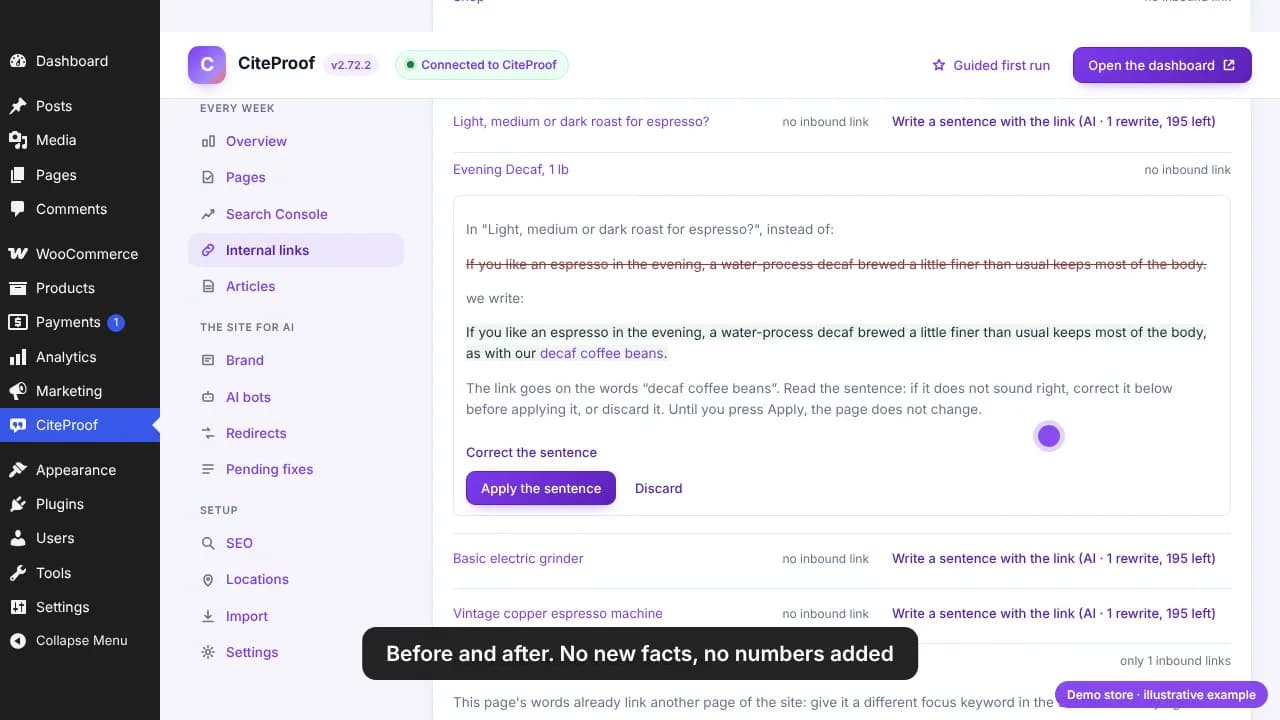
The guardrails are checked on the platform before anything is shown to you:
- the original sentence must be in the page, and the link words appear once;
- no numbers or facts that are not in the original sentence, and only a few added words;
- when the AI cannot respect that, nothing is proposed and nothing is counted.
You see the sentence before and after, you can correct it yourself (the link words must stay), and until you press Apply the sentence the page does not change. Remove in the log puts the original sentence back. Each accepted sentence uses one AI rewrite of the month: five on a free account, 200 on a plan.
Link your orphan pages
The link plan is part of the free CiteProof plugin for WordPress and WooCommerce and needs no account. Connect Search Console with a free account and the plan uses the words people actually search.
With Search Console, and on Shopify
On a live site, connect Search Console in the plugin. The plan then uses the words people actually type to find each page, marked searched on Google, and it adds the pages Google shows between position 4 and 20 with enough impressions to the pages that need links.
The plan can also be seen and used from the CiteProof dashboard, in More → Internal links:
- WordPress (plugin 2.72 or later): the dashboard shows the plan the plugin computed; its buttons ask the plugin to write right away. A sentence proposed from the dashboard also shows in the plugin, and the other way round.
- Shopify: the platform computes the plan over blog articles, pages, collections and product descriptions, with the same rules and Search Console words. Before writing it reads the current text on Shopify again, so a recent edit is never overwritten; every link is logged and can be undone. The weekly run is WordPress-only for now.
- Wix: the articles CiteProof writes and publishes on your Wix blog already link to your existing pages, the ones most related to the topic, taken from your sitemap. The automatic plan that links existing pages to each other is not available on Wix yet.
The step-by-step reference for every button is in the help center: Internal links: the site plan and orphan pages connected in one click.
Where internal links fit
Internal links decide which pages a crawler reaches; they do not decide whether a crawler is allowed in. If the AI search bots are blocked in robots.txt, links change nothing: start from which AI crawlers to allow. Once the bots are in and the pages are linked, the next step is what each page says, covered in the WooCommerce guide.
Which of your pages does no AI engine read today?
The CiteProof free scan reads your site the way the engines do and tells you what to open first.
Frequently asked questions
What is an orphan page?
A page that no other page of the same site links to. Visitors can reach it only through search, the sitemap or a direct link, and crawlers find it only through the sitemap. Google's own guidance is that every page you care about should have a link from at least one other page on the site [1].
How do I find orphan pages in WordPress?
Compare every published page with the internal links in all the others: a page with zero inbound links is an orphan. The CiteProof plugin keeps that index for you and shows the count at the top of the Internal links tab, with the list of orphans that already have a matching phrase somewhere on the site and the ones that do not.
Does automatic internal linking rewrite my content?
The link plan does not: it only wraps a phrase that is already in the text in a link tag, the first time it appears outside headings, code and other links. The AI sentence is the one case where text changes, and only after you see it and press Apply; Remove restores the original sentence.
How many internal links should a page have?
There is no fixed number. What matters is that every important page has at least one link from another page [1] and that the link text describes the target. The plugin adds at most 3 new links to a page in one round and skips pages that already hold many links, so no page turns into a list of links.
Do internal links help with ChatGPT and AI search?
Indirectly. An AI engine can cite only pages its crawler has read, and crawlers find pages mostly by following links [2]. No AI engine publishes a rule that rewards internal links as such; linking makes sure your important pages can be found, and what they say decides whether they are cited.
Can I undo the links?
Yes. Every link the plugin writes goes in the log with the page, the phrase, the target and the time. Remove takes the link off and leaves the text exactly as it was; for an AI sentence, it puts the original sentence back.
Does it work on Shopify and Wix?
On Shopify the same plan runs from the CiteProof dashboard, over articles, pages, collections and product descriptions, with the same rules and undo. On Wix, the articles CiteProof writes and publishes on your blog already include internal links to your existing pages; the automatic plan that links existing pages to each other is not available on Wix yet.
Is it free?
The link plan, the log and Remove are part of the free plugin and need no account. Search Console words need a free account. AI sentences use the monthly AI rewrites: five on a free account, 200 on a plan.
Sources
- [1] Link best practices for Google · Google Search Central · 2026 · accessed 2026-10-14
- [2] In-depth guide to how Google Search works · Google Search Central · 2026 · accessed 2026-10-14
Read next
CiteProof tracks your brand's visibility across AI answer engines and tells you what to change to get cited. With one rule: the score only moves up after the Verify Bot confirms the fix is actually live.