What Is llms.txt? Format, Examples and Who Reads It
What llms.txt is: a Markdown file at your site's root that gives language models a curated map of your key pages. The format with an annotated example, llms-full.txt, how it differs from robots.txt and sitemap.xml, and who actually reads it.
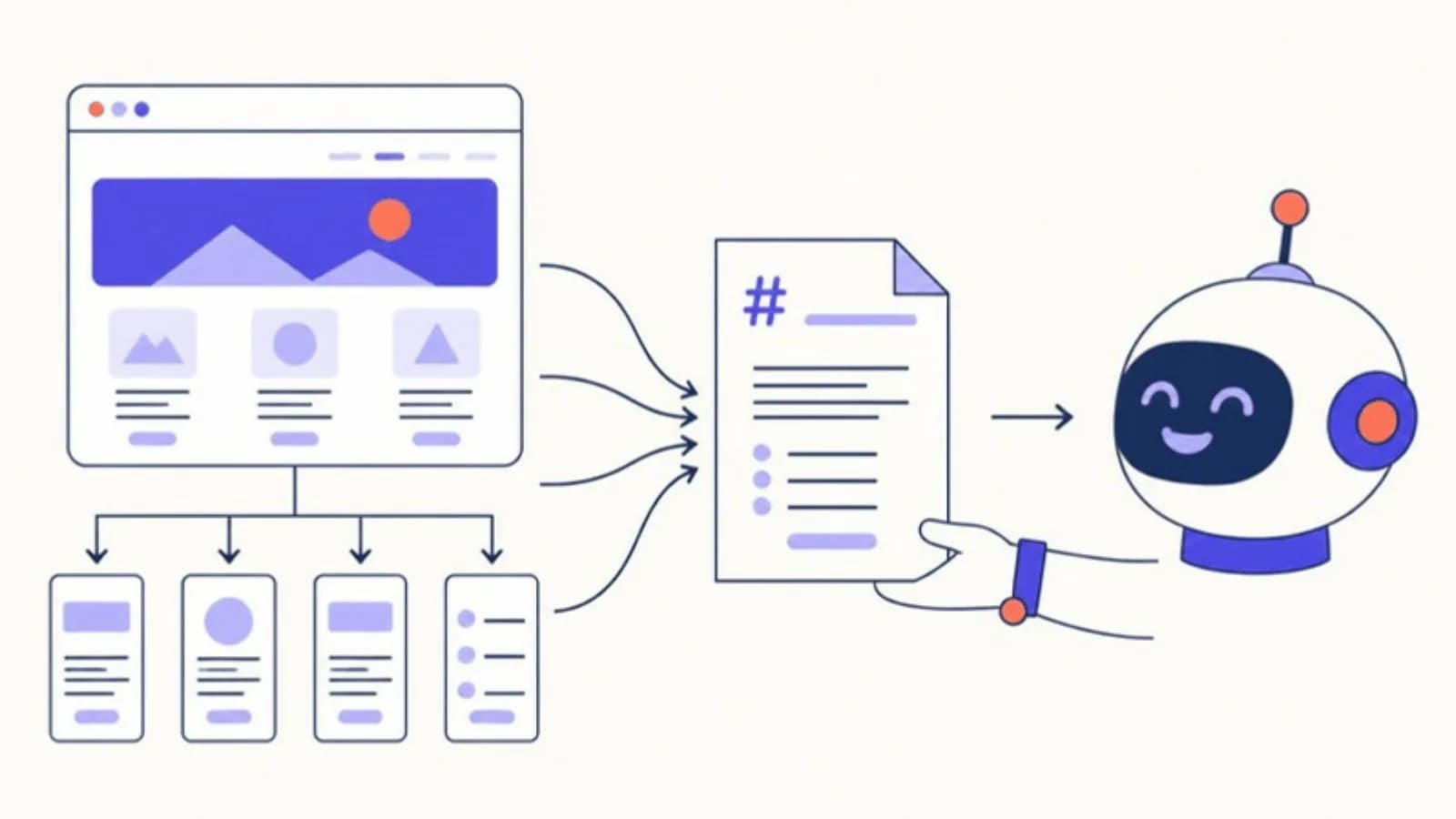
llms.txt is a Markdown file at your site's root (yourdomain.com/llms.txt) that gives language models a curated map of your key pages: an H1 with the site's name, a one-line summary in a blockquote, then sections of links. Jeremy Howard of Answer.AI proposed it in September 2024 [1] [2]. It is a hint, not access control, and it is optional.
- Google says Google Search, AI features included, doesn't use llms.txt, and that having one will neither harm nor help your visibility [3].
- No major AI company has said it officially supports the format [2].
- Google's Lighthouse 13.3 added an llms.txt audit in its new Agentic Browsing category, a readiness check for browser agents rather than a search signal [4].
- Worth it when it is cheap to maintain; don't expect citations from it.
If you have run a site audit lately, there is a fair chance one tool flagged "llms.txt missing" and another said nothing at all. Both are right in their own way. The file is a proposal, not a standard, and the gap between what it promises and what is confirmed is wide enough that it is worth knowing exactly what it does before you spend an afternoon on it.
What llms.txt is, and where it came from
The proposal on llmstxt.org, published by Jeremy Howard on September 3, 2024, describes it as a way "to standardise on using an /llms.txt file to provide information to help agents use a website" [1]. Howard is at Answer.AI, and the proposal is usually described as his, made in that role [2].
The problem it addresses is practical. A language model that opens a web page gets navigation, cookie banners, scripts and layout along with the content, and it has a limited amount of context to spend. A short, hand-picked list of the pages that matter, with a sentence on each, is easier to use than a crawl of the whole site. That is all llms.txt is: a curated table of contents, written in Markdown, at a predictable address.
Two points are often misunderstood. First, it is not a plain-text list of URLs: the spec defines a Markdown structure with headings, a blockquote and lists of links [1]. Second, it grants or blocks nothing. Access is still decided by robots.txt and your server; llms.txt only suggests where to look.
The format, with an annotated example
The spec asks for these parts, in this order [1]:
- An H1 with the name of the site or project. This is the only required section.
- A blockquote with a short summary, the one or two sentences a model should know before anything else.
- Optional detail: paragraphs or lists, but no headings, for context such as how to read the rest of the file.
- Sections delimited by H2 headings, each a list of Markdown links in the form
[name](url), optionally followed by a colon and a note on what the page contains. - An "Optional" section, by convention, for secondary pages a model can skip when it is short on context.
Here is what that looks like for a fictional coffee store:
# Example Coffee Supply

> Specialty coffee beans, grinders and brewing gear, roasted in small batches and sold online in the US.

Prices on the linked pages are in USD and include current stock.

## Shop

- [Coffee beans](https://example.com/collections/coffee): single origins and blends, with roast dates
- [Grinders](https://example.com/collections/grinders): burr grinders for espresso and filter

## Policies

- [Shipping](https://example.com/policies/shipping): delivery times and costs
- [Returns](https://example.com/policies/returns): how returns and refunds work

## Optional

- [Brewing guides](https://example.com/blog): how-to articles by brew method
Reading it from the top: the H1 names the store; the blockquote is the summary a model can quote; the plain line under it adds context without a heading; each H2 groups links by purpose; each link carries a short note so the model can choose without opening every page; and the Optional section marks what can be dropped. The file lives at the root by default, though the current spec also allows one at a subpath, such as /docs/llms.txt, covering only the pages below it [1].
The spec also suggests serving a clean Markdown version of important pages at the same URL with .md added, such as page.html.md [1]. Few online stores do this, and it is not needed for the file itself to work.
What llms-full.txt is
llms-full.txt is a companion file that puts the full text of a site's documentation into one Markdown file, so a single URL can load the complete context into an AI tool. It is not part of the proposal on llmstxt.org: Mintlify says it developed the format in collaboration with its customer Anthropic [2]. It makes sense for software documentation that developers paste into coding assistants. For a store or a services site it is rarely worth the size.
llms.txt vs robots.txt vs sitemap.xml
The three files sit at the root of a site and are easy to confuse. They do different jobs.

| llms.txt | robots.txt | sitemap.xml | |
|---|---|---|---|
| What it does | Suggests the pages a language model should read first, with a note on each | Tells crawlers which paths they may fetch | Lists the URLs you want search engines to know about |
| Format | Markdown | Plain-text rules (User-agent, Allow, Disallow) | XML |
| Status | A proposal from September 2024 | An IETF standard, RFC 9309, since September 2022 [5] | An open XML protocol [6] |
| Controls access? | No | It states rules, but they are "not a form of access authorization" [5] | No |
| Who reads it | Not confirmed by any major engine | Search and AI crawlers that honor the standard | Search engines, as a hint, with no guarantee of inclusion [6] |
| Selection | Curated: a handful of key pages | Rules by path | Ideally every indexable URL |
If you only have time for one of them, robots.txt is the one that decides whether an AI engine can read and cite your pages at all. The guide to AI crawlers, robots.txt and llms.txt lists which bots to allow and which you can block.
Who actually reads it
This is where most articles about llms.txt get vague, so here is what is on the record as of October 2026.
Google Search: no. Google's guide to its generative AI features says you don't need AI text files to appear in Google Search, "as Google Search itself doesn't use them", and that creating one will neither harm nor help your visibility or rankings [3]. As Search Engine Journal put it, that means llms.txt isn't needed for AI Overviews, AI Mode or Google's other generative AI Search features [4].
Google's Lighthouse: it checks for the file. Lighthouse 13.3 added an Agentic Browsing category with an llms.txt audit that checks whether the file is served and flags server errors; a 404 is marked "Not Applicable" [4]. It is a readiness check for browser agents, not evidence that a search or answer engine uses the file. Search Engine Journal summed up the contradiction in its headline: Google's guidance depends on which product you ask [4].
OpenAI, Anthropic, Perplexity and the other answer engines: no confirmation. None has said its crawlers use llms.txt to choose what to read or cite. Mintlify, which generates llms.txt files for its customers and argues for the format, acknowledges that no major AI company officially supports it [2]. It also cites Profound data showing AI agents requesting /llms.txt and /llms-full.txt files [2], but a request in a server log only shows that something fetched the file, not that an answer used it.
People and their tools: sometimes. The clearest use today is a developer pasting a documentation site's llms.txt or llms-full.txt into a coding assistant. The assistant reads it because a person handed it over, the same way it would read any page.
Is llms.txt worth it?
It depends on what it costs you. The honest case for it:
- It is cheap. A static Markdown file with a few dozen links, or one generated by a plugin.
- It is low risk. Google says it will neither help nor hurt in Search [3], and nothing suggests it hurts anywhere else.
- It is a useful exercise. Deciding which twenty pages represent your business, and writing one sentence about each, often shows which important pages are thin, outdated or hard to reach.
The case against spending more than an hour on it: no engine has said it reads the file, so it will not get you cited on its own. What gets a page cited is that the engine's crawler is allowed in, the page answers the question in text a model can read, and other sites back up what it says. If those three are not in place, llms.txt changes nothing; if they are, it is a small extra. That is how we treat it in answer engine optimization: a nice-to-have after access and content, never a priority.
One practical warning: a stale file is worse than none. If the file lists products you no longer sell or pages that now redirect, either generate it automatically or put it on the same update cycle as your sitemap.
How to create one
There are three routes, depending on the site.
- Use a generator. The free llms.txt generator scans your homepage and sitemap and builds the file from real URLs on your site. Review the list, trim it to the pages that matter, and upload it to the root so it answers at
yourdomain.com/llms.txt. - On WordPress, let the plugin do it. The CiteProof plugin generates llms.txt from your content, refreshes it daily and serves it without a file on disk. See how to install the WordPress plugin.
- Write it by hand. Copy the example above, replace the name and summary, and add one H2 section per type of page. Keep the notes factual: what the page contains, not why it is great.
Whichever route you take, open the URL in a browser afterwards and check that it returns the file, not a 404 or your theme's error page.
Frequently asked questions
What is llms.txt used for?
It gives language models and AI agents a short, curated list of a site's most important pages, with a one-line note on each, so they can find the useful content without crawling everything. It is a suggestion about what to read, not a rule about what may be read.
Does ChatGPT read llms.txt?
OpenAI has not said that ChatGPT or its crawlers use llms.txt, and no major AI company officially supports the format [2]. What decides whether ChatGPT can cite a page is whether OAI-SearchBot and ChatGPT-User are allowed in robots.txt and whether the page answers the question.
Is llms.txt the same as robots.txt?
No. robots.txt is a standard set of rules telling crawlers which paths they may fetch [5]. llms.txt is a Markdown list of recommended pages; it allows and blocks nothing. A page blocked in robots.txt stays blocked whatever llms.txt says.
Do I need llms.txt for SEO?
No. Google says Google Search, including its AI features, doesn't use llms.txt, and that having one neither helps nor harms your rankings [3]. You can publish one for other services, but it is not an SEO factor.
How do I create an llms.txt file?
Write a Markdown file with an H1 for the site name, a blockquote summary and H2 sections of links, then upload it to your site's root. The free llms.txt generator builds a draft from your real URLs, and on WordPress the CiteProof plugin generates and refreshes it for you.
Sources
- [1] The /llms.txt file · Jeremy Howard, llmstxt.org · September 2024 (updated August 2026) · accessed 2026-10-14
- [2] What is llms.txt? Breaking down the skepticism · Mintlify · March 2026 · accessed 2026-10-14
- [3] Google's Guide to Optimizing for Generative AI Features on Google Search · Google Search Central · 2026 · accessed 2026-10-14
- [4] Google's llms.txt Guidance Depends On Which Product You Ask · Search Engine Journal · May 2026 · accessed 2026-10-14
- [5] RFC 9309: Robots Exclusion Protocol · IETF · September 2022 · accessed 2026-10-14
- [6] Sitemaps XML format · sitemaps.org · 2016 · accessed 2026-10-14
Read next
CiteProof tracks your brand's visibility across AI answer engines and tells you what to change to get cited. With one rule: the score only moves up after the Verify Bot confirms the fix is actually live.