The Citeproof Connector plugin is the part of CiteProof that lives inside WordPress. The dashboard measures how AI engines answer questions about your brand; the plugin makes the changes on the site, page by page, and reports back what it did.
Download and install
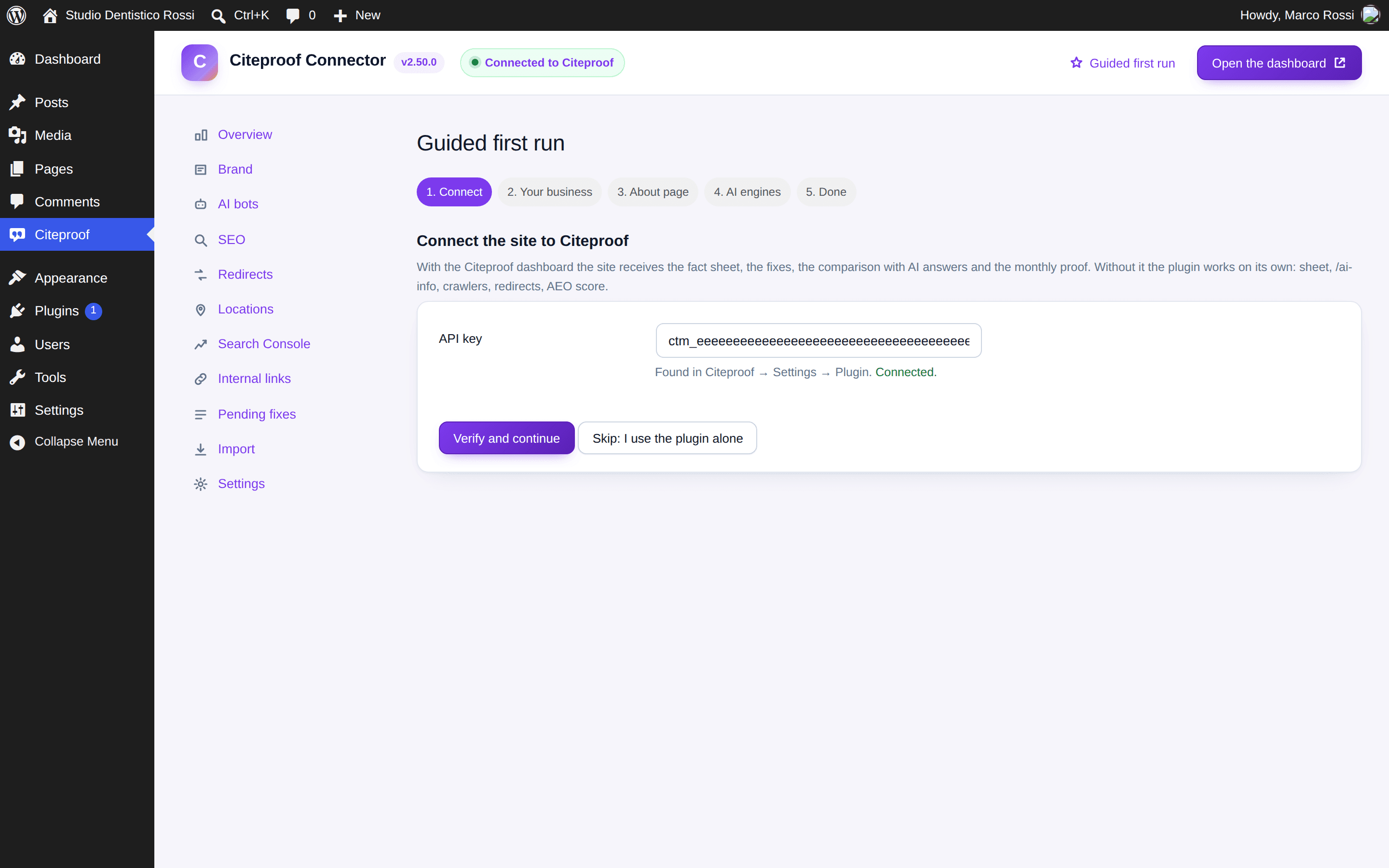
- In the dashboard go to Settings → Plugin and press Download plugin. The ZIP you get already carries the site's key.
- In WordPress go to Plugins → Add New → Upload Plugin, pick the ZIP, press Install Now, then Activate.
- On first activation the guided first run opens, five steps: connect, your business, About page, AI engines, done. You can skip it and come back from the link at the top right.
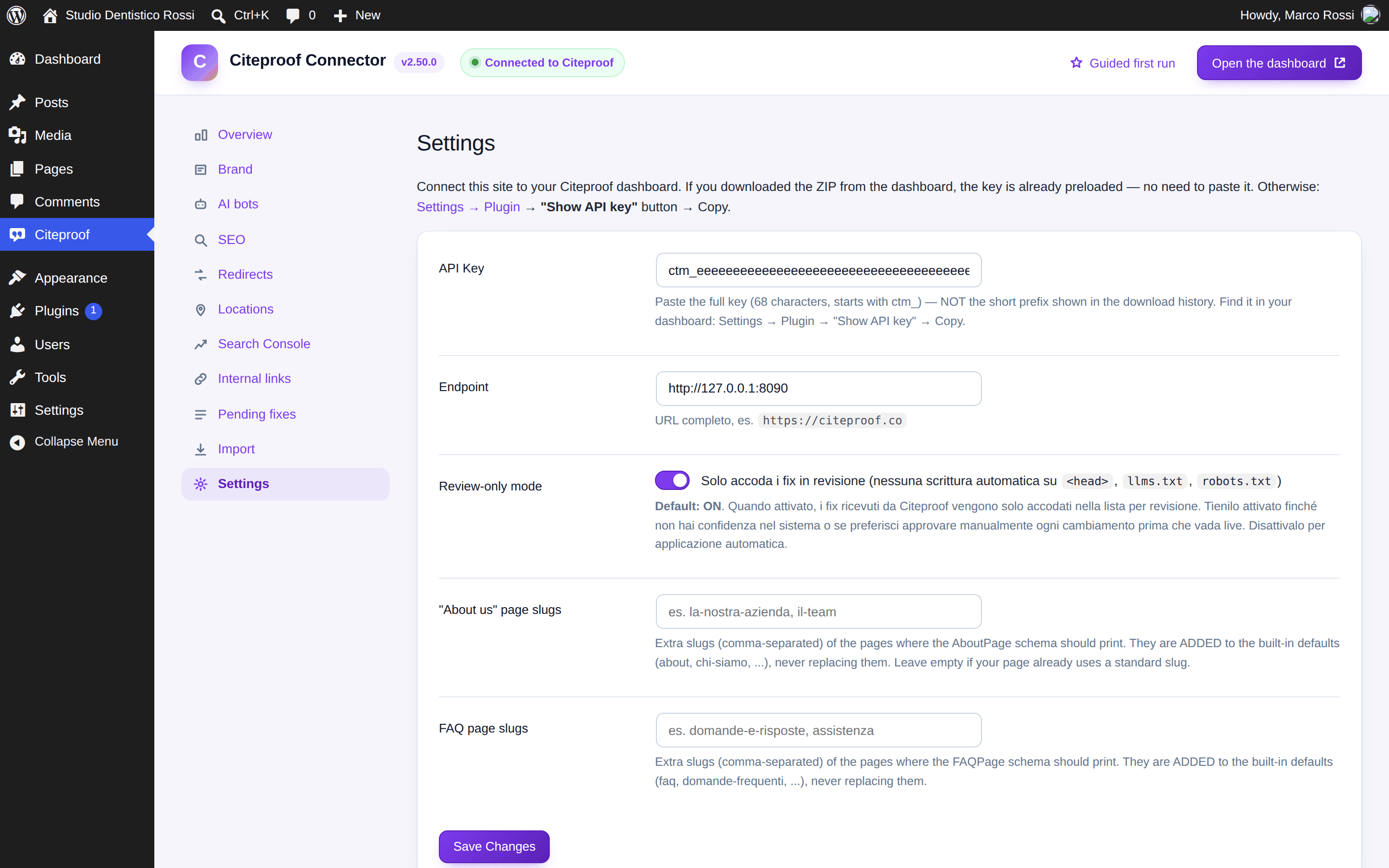
If you installed the plugin from somewhere else, the key is missing: in Citeproof → Settings paste the full API key (68 characters, starts with ctm_). You find it in the dashboard under Settings → Plugin → Show API key. It is not the short prefix shown in the download history.
The connection states
The pill at the top of the plugin, the row in Overview and the site card in the dashboard say the same thing:
- Connected to Citeproof — all good: audits, fixes and the monthly proof come from the dashboard.
- Not connected — no key.
- Connection failed — wrong key or endpoint: the message says why and the link goes to the settings. The page retries on its own.
- Connected · cron stalled — the plugin talks to the dashboard every 25 minutes through WP-Cron, which only runs when someone visits the site. When it has been silent for two hours, the dashboard reads the site as not connected even though the key is right. A system cron calling
wp-cron.phpfixes it.
What changes once connected
- The fact sheet filled in on the dashboard reaches the site, and the other way round.
- The fixes generated by the audit land in the plugin's queue (with review mode on, they wait for your approval).
- The plugin sends the dashboard the AI crawler visits and a snapshot of content health (AEO scores, orphan pages, images without a description).
- The Search Console panel, the AI drafts and the automatic image descriptions only work while connected.
What leaves the site
With the key set, the plugin sends: site URL and version, AI crawler visits (user agent, path, time), the outcome of each fix, the content snapshot (counts, ids, titles and URLs, never the text of a page). Images without a description are sent only if you turn automatic descriptions on. Without a key nothing leaves.
Does the plugin work without a CiteProof account?
Yes, for the SEO side: meta, schema, sitemap, redirects, breadcrumb, Open Graph, hreflang, IndexNow, locations, internal links, AEO score. Audits, fixes, Search Console, AI drafts and automatic image descriptions need the account.
Can I keep Yoast SEO or Rank Math?
Yes. In automatic mode the plugin does not print a second title, description, schema, sitemap or Open Graph when one of them is active. You can force every module from Citeproof → SEO → Advanced settings, and import the existing data from Citeproof → Import.