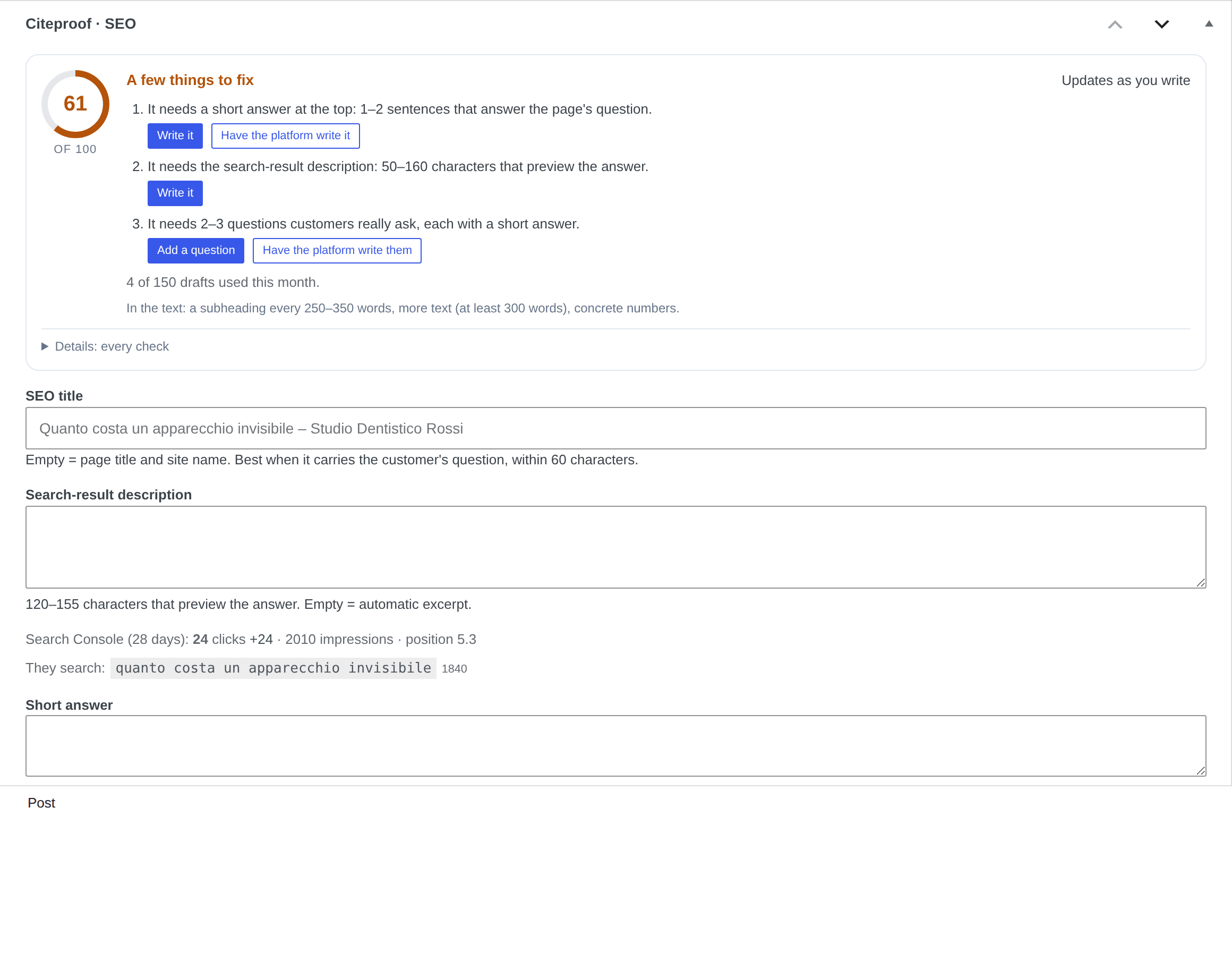
The Citeproof · SEO box sits under the editor of every post and page. It is not a list of technical checks: it says what that page lacks for an AI to cite it, and puts you one click from the remedy.
The score and the sentence
The number out of 100 is the page's AEO score: how easy it is for an AI engine to lift an answer from it and cite it. Next to it, one sentence: Easy for the AI engines to cite, A few things to fix or Hard for the AI engines to cite. It updates as you write, without saving.
It is not a traffic forecast and it is not the dashboard's visibility score: it is the part that depends only on how the page is written.
The things to do
Under the sentence there are at most three things to do, the heaviest ones, each with its button:
- It needs a short answer at the top — Write it jumps to the field; Have the platform write it asks for a draft written only from the page text.
- It needs 2–3 questions customers really ask — Add a question opens a row; Have the platform write them proposes three questions with answers.
- It links no other page of the site — Insert the link "phrase" → Page writes the link on the phrase already in the text and reloads the page with the confirmation. It only shows on published pages; on drafts the plugin says so.
- It needs the search-result description, The title does not carry the customer's question — the buttons jump to the right field.
- The page is hidden from the engines, Structured data is off — one click puts them back.
Fixes that live in the body text (shorter paragraphs, concrete numbers, a subheading every 250–350 words, more text) sit in one line: In the text: …. When nothing is missing, the box says so.
The platform drafts
Have the platform write it uses the saved text of the page: save first if you changed it. The draft lands in the box with Use the draft, Discard and Try again. The platform writes only from what is already there: if a proposal carries numbers or questions that are not on the page, it is dropped and the box tells you. Drafts have a monthly quota (150 pages): the count shows under the list.
The fields under the box
SEO title (the placeholder is the title that would actually go out), search-result description, short answer (shown at the top of the page), customer questions (at the bottom of the page, and in the FAQPage schema). Everything else, canonical URL, robots, links to other pages, structured data, social, languages, locations, is folded under More options.
Details: every check
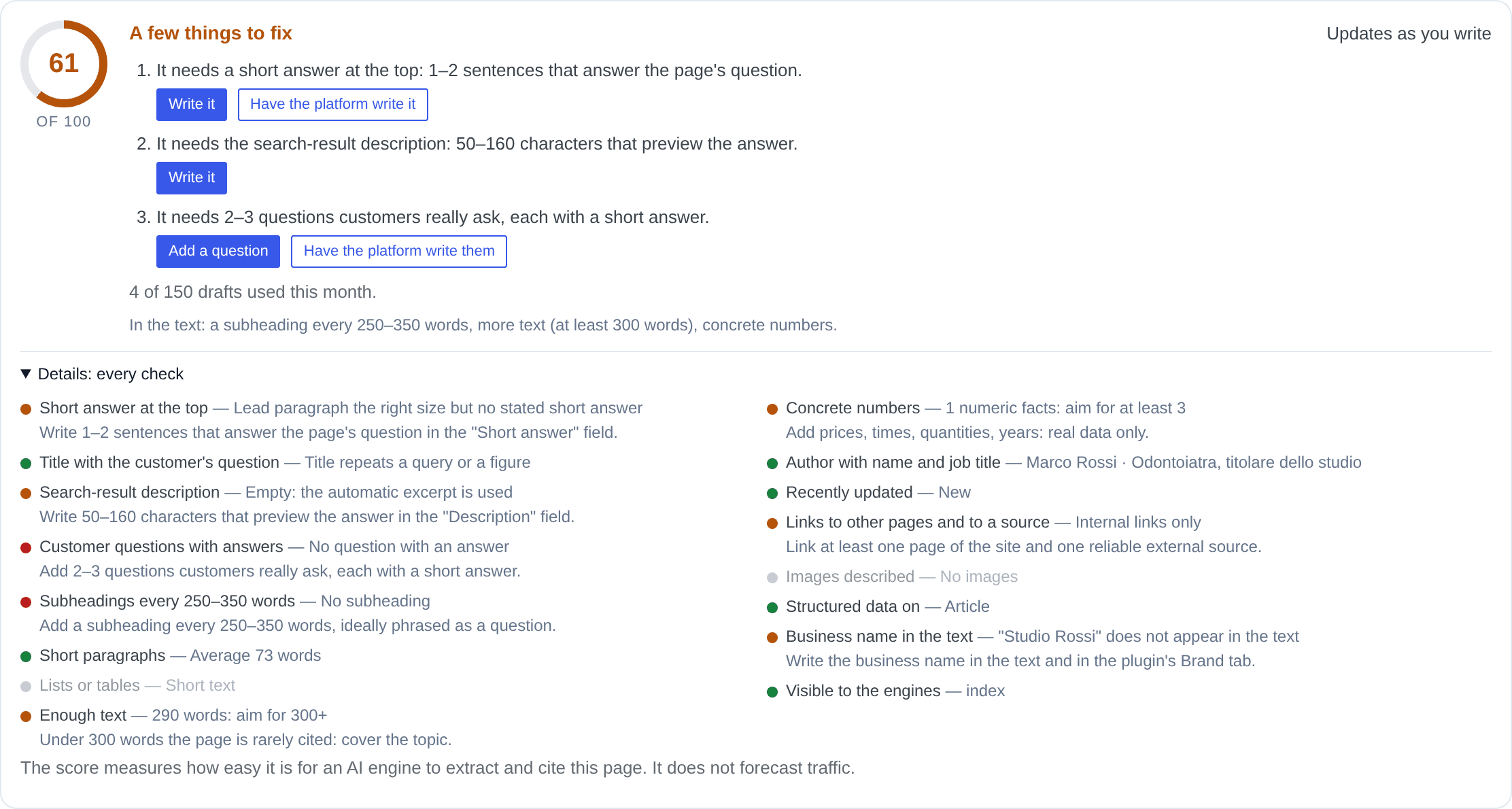
Under Details are the sixteen checks that make up the score, each with its outcome: short answer at the top, title with the customer's question, description, questions with answers, subheadings, short paragraphs, lists or tables, enough text, concrete numbers, author with name and job title, recently updated, links to other pages and to a source, images described, structured data on, business name in the text, visible to the engines. A check that half passes earns half; one that does not apply is left out.
The sidebar panel
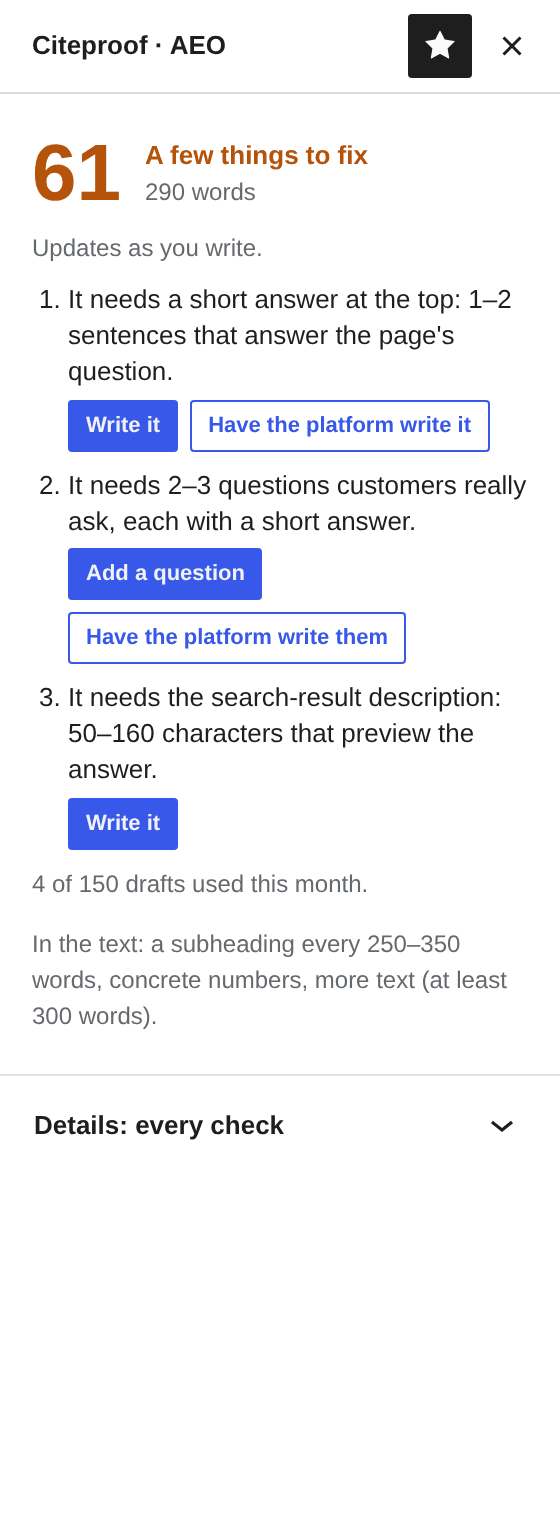
In the block editor the same content also sits in the Citeproof · AEO sidebar panel (icon at the top right): score, the same three things to do with the same buttons, and the details closed at the bottom. The two update together: type the short answer in the box and the panel sees it. Before publishing, the pre-publish panel repeats the things to do.
In the posts list
The AEO column in Posts and Pages shows every item's score and is sortable, so the weakest pages are easy to find.
Why is the link only inserted on published pages?
Because the plugin writes into the saved text and reloads the editor. On a draft, or on a page built with a page builder, the box says so and asks you to add the link from the editor.
Does the platform draft make anything up?
No. It writes only from the page's saved text, and drops on its own any proposal that carries numbers, names or questions that are not there. You decide whether to use it.