A competitor, for CiteProof, is a site the AI engines could cite in your place. Once confirmed, it is followed at every audit and shows up across the dashboard.
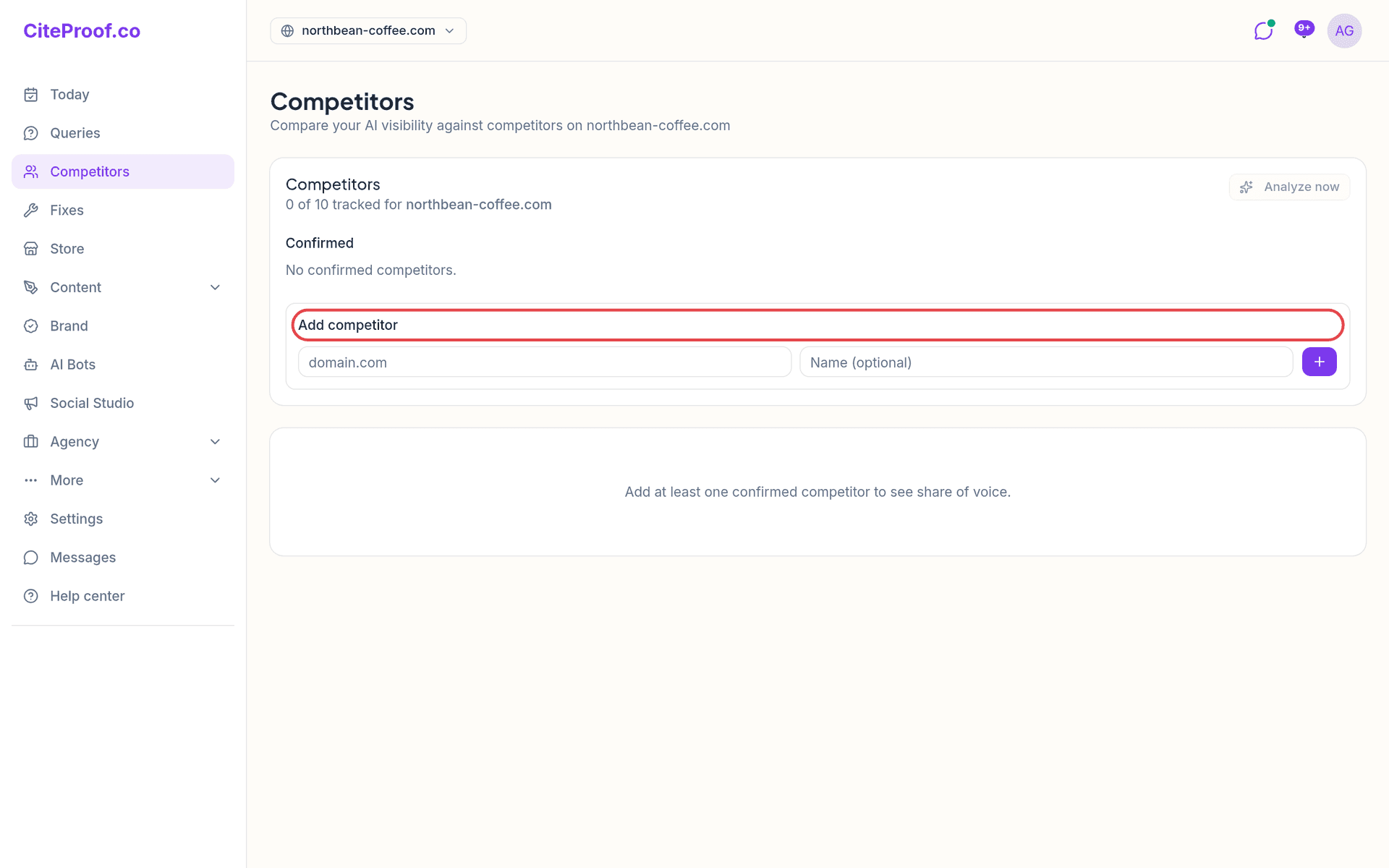
Confirmed and suggested
The card at the top says how many competitors you track out of the number your plan allows.
- Confirmed: the competitors you follow. Only these count in the head to head, in share of voice and in the labels on the other pages. The bin icon removes one, after a confirmation: it stops being tracked at the next audits.
- Suggested by CiteProof: domains found in the AI answers during the audits, marked Detected in AI responses. The check confirms one, the cross ignores it. If you are at your plan's limit, you cannot confirm more.
If you typed competitor names during onboarding without a domain, they appear under From your profile, no domain yet: one click fills in the name and asks you for the domain.
Add a competitor
Under Add competitor type the domain (for example competitor.com) and, if you want, a Name. Press +. The name is what you will see everywhere instead of the domain: on the page, in alerts, in emails and in the PDF.
Analyze now
Analyze now compares you with the confirmed competitors. By default it reuses the data of the latest audit, so it uses no quota, and says the date of that audit. Re-run live asks the engines again and counts against a daily number of requests.
The result appears under the header: your score out of 100 and, for each competitor, the score with the queries won and lost.
Head to head
From the latest audit, one block per confirmed competitor:
- four counts: They win, You win, Both, Neither. Someone "wins" a query when they appear in the answer, named or cited as a source.
- the result engine by engine (them only against you only).
- Their pages the AI engines cite, with how many queries each one covers.
- Show the lost queries: every query they win, with the engines and whether they were named or cited. Two actions on each: Open the winning page to see what the engines prefer, and Generate article (with the Content Agent) to write your answer.
Share of voice
Below the head to head, share of voice measures how often the engines mention you and your competitors over the chosen period: 30, 60 or 90 days. You see the Leaderboard, the comparison By platform and the Trend over the period, one point per audit. It needs at least one confirmed competitor and is included from the Cited plan.
Where competitors show up elsewhere
- Today: the Who do they cite instead? box names the competitor that beats you on the most queries, with an example.
- Queries: in the cited sources and in Read the answer the competitor is marked in red; Why they don't cite you points to its winning page. See Read the AI answers.
- Audit report (PDF): one head-to-head block per confirmed competitor.
- Weekly email: the competitor that wins the most queries against you, with an example query.
How many competitors can I track?
It depends on the plan: 1 on Visible, 3 on Cited, 6 on Dominant, 10 on Agency. The card at the top of the page always shows how many you track out of how many.
Why is the head to head empty?
It is built from a completed audit with at least one confirmed competitor. Confirm or add a competitor: the next audit fills the table.
Does Analyze now use an audit?
No. By default it reuses the data from the latest audit and uses no quota. Only Re-run live asks the engines again, within a daily limit of requests.