The AI Bots page answers two questions: do the AI engines read your site, and do they send people to it. The crawler data comes from the WordPress plugin, which records every visit by an AI bot.
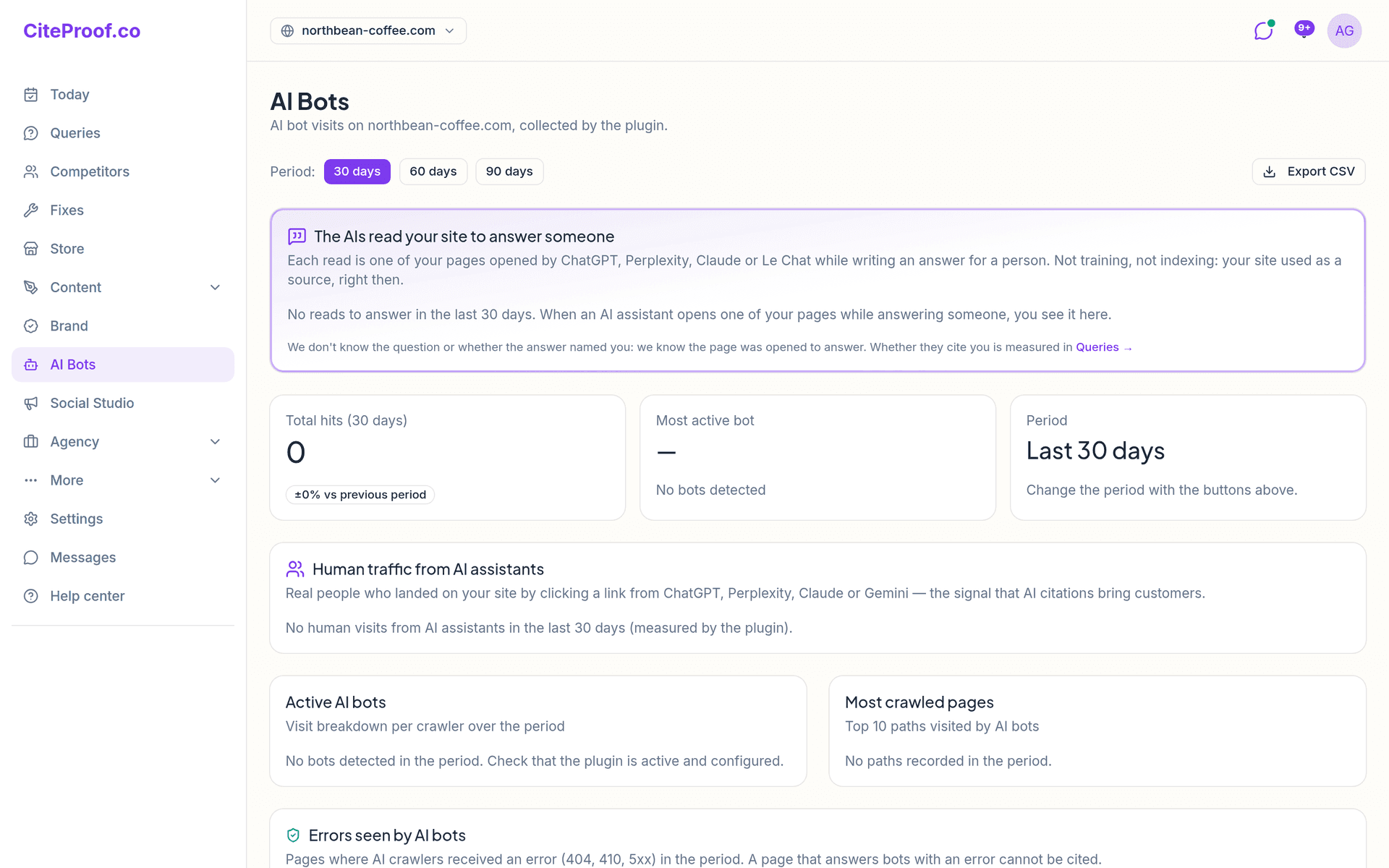
Period and export
At the top choose the Period: 30 days, 60 days or 90 days. Every card follows the period, and the numbers are compared with the period before. Export CSV downloads every visit with date, bot, page, status code and user agent (on the Agency plan).
The AIs read your site to answer someone
The first card is the most telling. Each read is one of your pages opened by ChatGPT, Perplexity, Claude or Le Chat while writing an answer for a person: not training, not indexing, your site used as a source at that moment. You see how many reads, by which assistant, and The pages they open to answer.
It does not say what the question was or whether the answer named you. Whether you are cited is measured on the Queries page: see Read the AI answers.
Total hits and most active bot
Three boxes: Total hits in the period with the change against the previous period, the Most active bot with its visits, and the period you are looking at.
Human traffic from AI assistants
Real people who landed on your site by clicking a link in ChatGPT, Perplexity, Claude or Gemini: the signal that AI citations bring customers. The card shows the visits, the split by assistant, the pages they land on and Where they clicked from.
The source is written under the number:
- Google Analytics, when it is connected to the site: sessions whose source is ChatGPT, Perplexity, Claude, Gemini, Copilot or You.com;
- the plugin, otherwise: clicks with an AI assistant as referrer.
If neither measures anything yet, the card offers Connect Google Analytics. If Analytics is connected but no property is chosen, it offers Pick the property. How to connect it: Connect Search Console and Analytics.
Active AI bots and most crawled pages
- Active AI bots: visits per crawler in the period, each labelled with what it does: Reads to answer, Indexes for AI search, Trains the model, Search and training.
- Most crawled pages: the top 10 paths visited by AI bots.
Which bots to let in, and how to block the ones that only train models, is in AI bots: who may read the site.
Errors seen by AI bots
The pages where AI crawlers received an error (404, 410, 5xx) in the period, with how many hits. A page that answers bots with an error cannot be cited: fix the page or redirect it.
What the AI bots read
Crawler visits by page type: home, posts, pages, categories, tags, archives, searches, 404. Archives, tags, searches and 404s are crawl that never becomes a citation: above a certain share the card suggests noindex on archives and redirects on the 404s. It needs plugin 2.1 or later.
On the Dominant and Agency plans there is also the Trend: visits per day for the six most active crawlers.
When everything shows zero
- No bots detected: the plugin is not active or not connected. Check it in WordPress and on the Today page, where the plugin status is shown. See Install and connect the WordPress plugin.
- No human visits: connect Google Analytics; without it only the plugin counts the clicks.
- Shopify store: Shopify exposes no server logs, so crawlers cannot be seen. Human visits from the assistants appear once Google Analytics 4 is connected in Settings → Sites.
The page is included from the Cited plan.
Is a bot visit the same as being cited?
No. A crawler reading the page means the engine can use it. A read to answer means an assistant opened it for someone at that moment. Whether the answer names you is measured on the Queries page.
Why do the AI Bots numbers differ from Google Analytics?
They measure different things. The bot numbers are crawler visits recorded by the plugin; Google Analytics counts people, and only the sessions it attributes to an AI assistant.
Should I block the training bots?
Training-only bots never cite you, so blocking them costs no visibility. Never block the bots that read to answer or index for AI search: that switches AI visibility off. The plugin writes the robots.txt rules for you.