When you install the Wix app, it creates a CiteProof account of its own for the site (see Installing the Wix app). If you already use CiteProof on the website, perhaps with a paid plan, you don't want two accounts: link the Wix site to yours and you work in one place.
Who sees the link box
The box Already have a CiteProof account? appears at the bottom of the CiteProof page in your Wix dashboard when two things are true:
- you are the site owner (collaborators don't see it);
- the site is still using the account the app created. Once the site is linked to a real account, the box disappears.
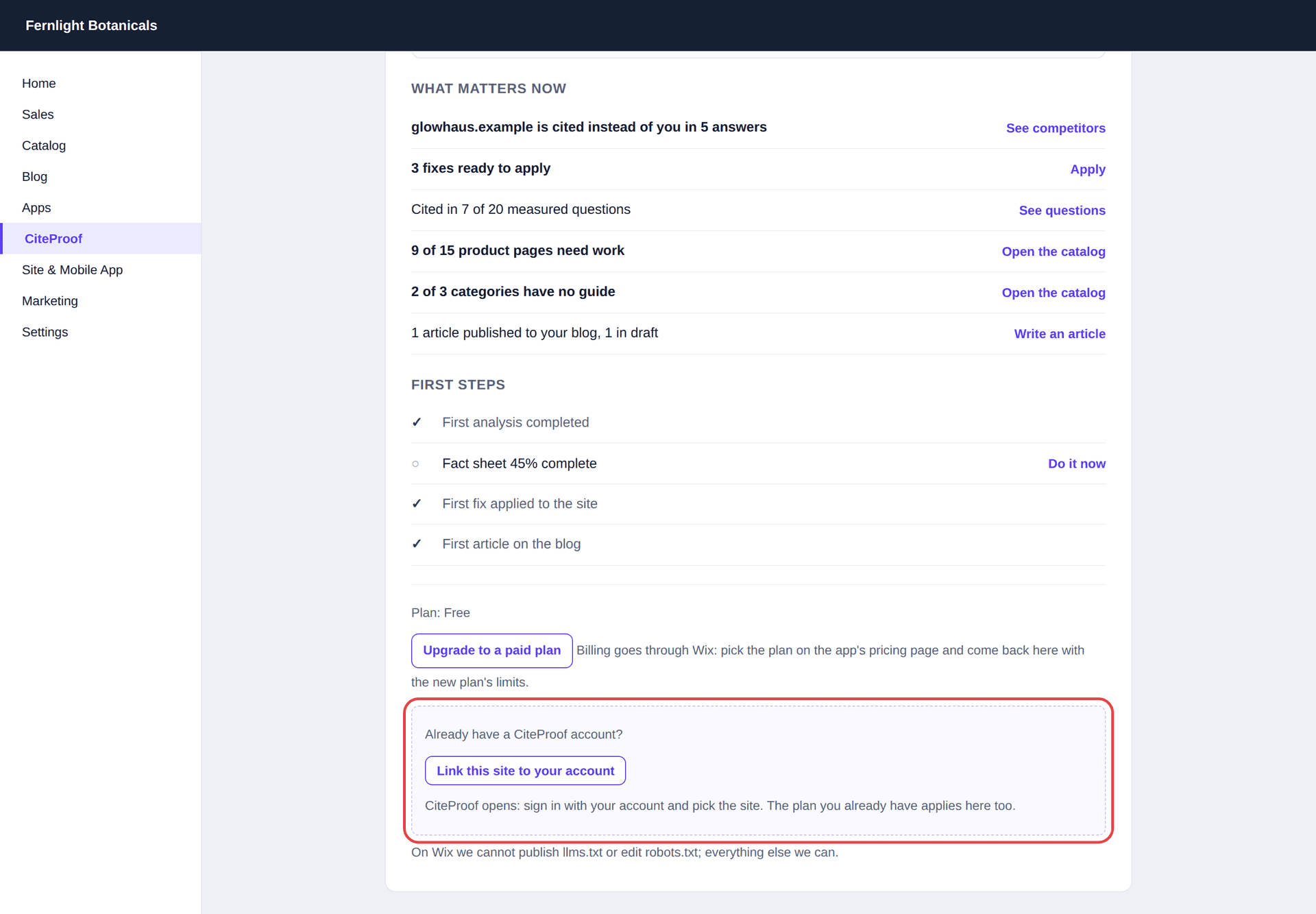
Link the site, step by step
- Press Link this site to your account. As the note under the button says: "CiteProof opens: sign in with your account and pick the site. The plan you already have applies here too."
- CiteProof opens in a new tab. If you aren't signed in, sign in with your account, the one you pay with: you come back to the right page by yourself.
- If you are already signed in, but inside the account the app created (for example because you opened the dashboard from Wix earlier in the same browser), CiteProof tells you: "You are inside the account the app created for this Wix site, not yours." Press Sign out and use your account, sign in with your own account and you come back to the same page.
- In the box Attach the Wix site to this account, the Site menu lists the sites of your account. CiteProof preselects the one whose address matches your Wix site; check it, or pick another.
- Press Attach the site. You read "Site attached: the Wix app and the dashboard now show the same site, with your plan."
Go back to the Wix tab: the page reloads by itself and shows the new situation.
Your account needs at least one site for the box to appear. If you haven't added the site yet, add it first: Connect your site.
What changes after linking
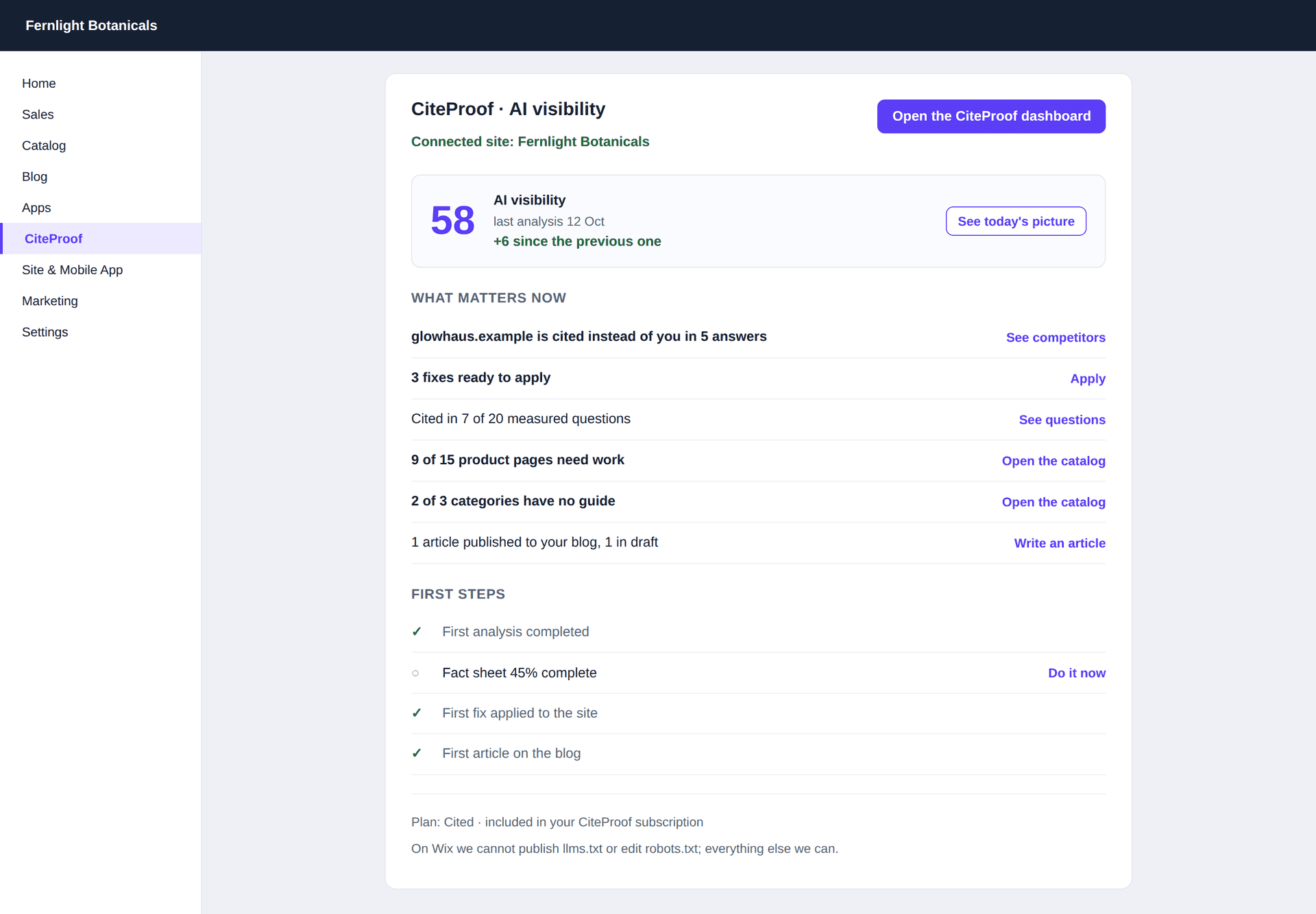
- One site, one place. The Wix app and your dashboard show the same site, with its audits, fixes and articles.
- Your plan applies in Wix too. If you pay a plan on the website, the plan line in the app shows it with the words "included in your CiteProof subscription", as in Plan: Cited · included in your CiteProof subscription. You don't need to buy anything in Wix and nothing is billed twice.
- The extra account is no longer used. The site the app had created for itself goes to the trash; your own sites are never touched.
- The link box disappears.
- Opening the dashboard from Wix asks you to sign in. Since the site now belongs to your own account, Open the CiteProof dashboard no longer signs you in by itself: it opens the CiteProof login page, and after signing in you land on the right page and site.
If the plan bought in Wix is higher than the one on your account, the higher one counts. More in Plans on Wix.
Automatic matching
Sometimes you don't need to link anything. When the Wix site's address is exactly the address of one site already in a real CiteProof account (not one created by an app), the app uses that site by itself: it creates no new account, and the link box never appears.
The check happens when the app is installed. If the app had already created its own account before, it runs again when you open the CiteProof page in Wix and moves the install to your site once. The address has to match exactly (https and www don't count). If two different accounts have the same address, the app doesn't guess: link by hand with the steps above.
The page says the link has expired. What do I do?
The link is valid for one hour. Go back to the CiteProof page in your Wix dashboard and press Link this site to your account again: a new link opens.
I pressed Attach the site and got an error saying I am inside the account the app created. Why?
You are signed in with the account the Wix app made for the site, not with yours. Press Sign out and use your account, sign in with the account you pay with and pick the site again.
Does the Wix plan I bought get lost when I link?
No. The site keeps the highest of its plans: the one paid in Wix, the one of your CiteProof account, or one offered by CiteProof.