Everything in CiteProof starts with your site. Connecting it takes a minute; filling in your business profile takes a little longer but improves every result that follows.
Add the domain
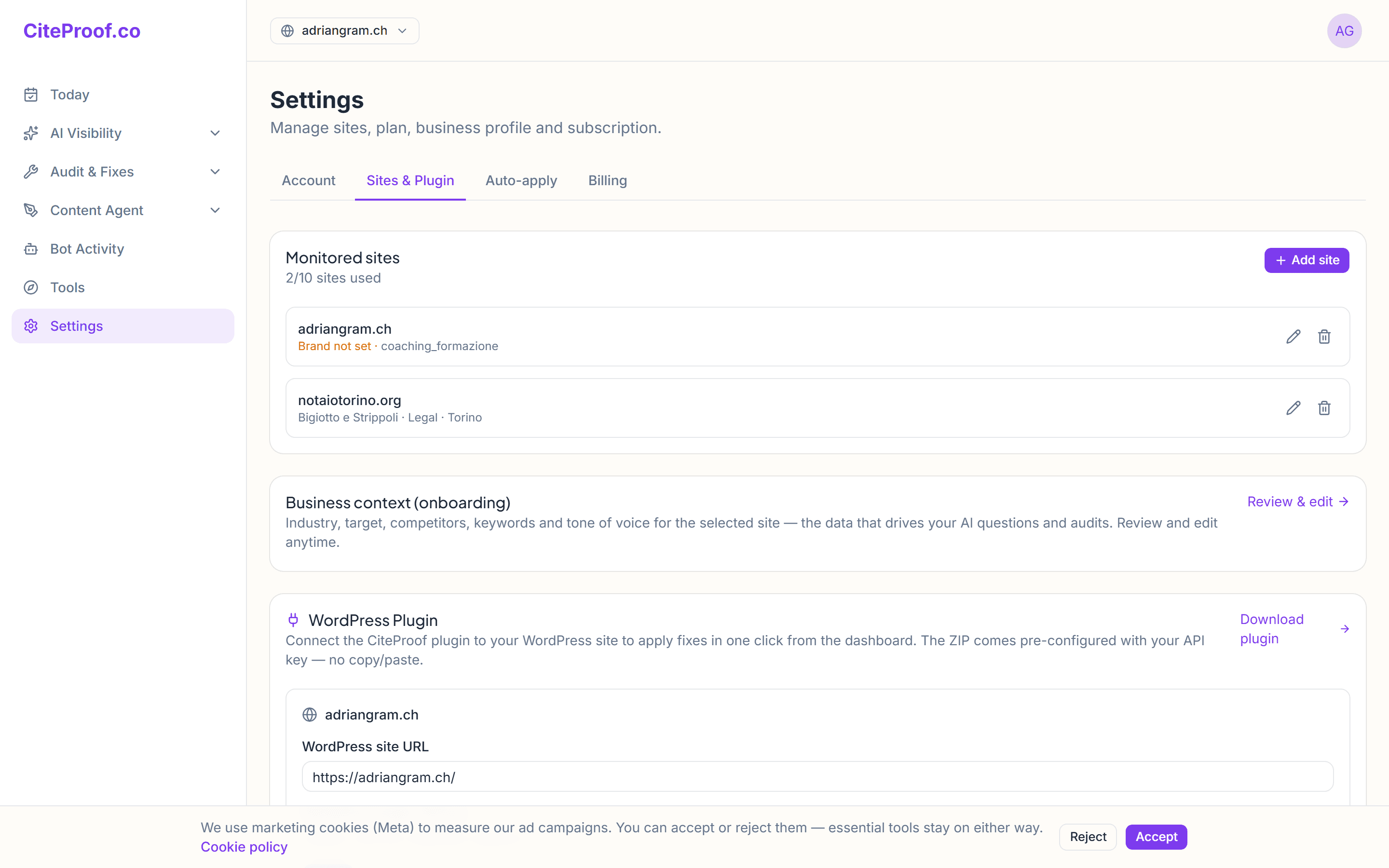
Go to Settings → Sites and enter your domain (e.g. yoursite.com). CiteProof creates the site and selects it as active in the sidebar. From there you can run your first visibility audit.
In the same tab pick the site's industry and language: the industry decides which questions CiteProof asks the AI engines (fifty per industry, in English or Italian depending on the language), so it is worth choosing carefully.
Fill in your business profile
The business profile collects your real business details: legal name, address, phone, business type, service areas, social links and common customer questions.
This isn't busywork — the data is reused across the platform:
- to generate the correct structured data (instead of placeholders to fill in),
- to enrich FAQ research results with your typical questions,
- to give the agents context when they analyze and write.
The more complete the profile, the more relevant the suggestions and content.
Three facts have one home and win over what you type in the profile: the industry (Settings → Sites), the catalogue of products and services (Settings → Business) and the competitors (Competitors page). Update them there and the questions asked to the engines follow, with no second edit in the profile.
Connecting WordPress
If the site runs on WordPress, install the CiteProof plugin from Settings → Plugin: the ZIP already carries the site's key. With the plugin, fixes are applied from WordPress, the fact sheet travels both ways and the dashboard sees the AI crawler visits. The step-by-step guide is Install and connect the WordPress plugin.
What if I manage multiple sites?
You can add multiple domains; each site has its own profile, audits and content. The number of sites depends on your plan.
Do I have to fill in the business profile right away?
You can run the audit without it, but filling it in improves structured data, FAQs and suggestions. It's worth doing up front.