Articles are written in the dashboard (Content Agent), but publishing them should not mean another window. The plugin's Articles tab brings them where they belong: into your WordPress, in one click.
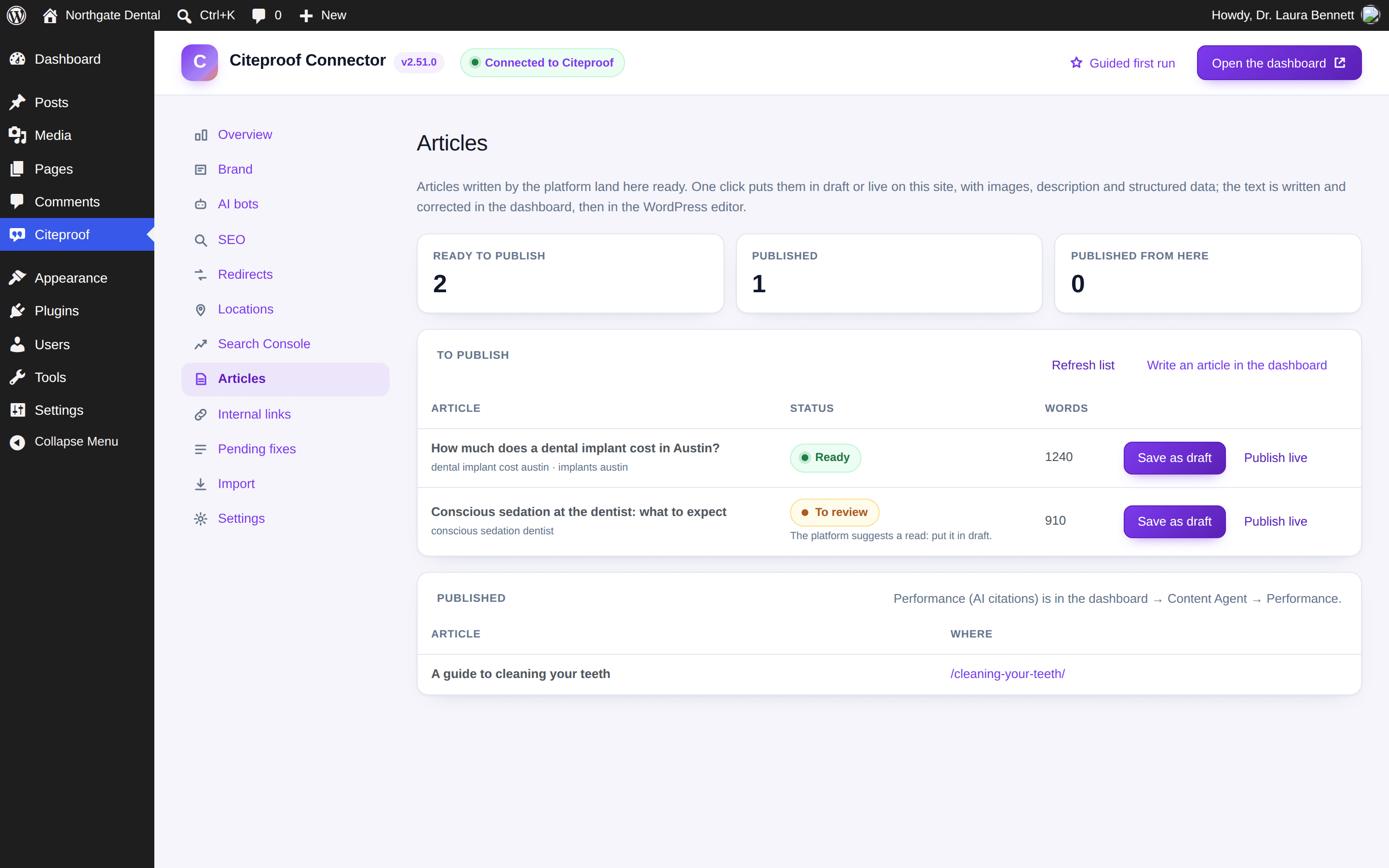
What you see
- Ready to publish: the articles that passed the platform's checks, with their keywords and word count.
- To review: the ones the platform suggests reading first (medium quality score). Save them as drafts and reread them in the editor.
- Published: with the page address and an Edit button.
The list refreshes on its own every ten minutes; Refresh list forces it.
Save as draft or publish live
- Save as draft creates the post as a draft: open it in the editor, check it, publish from there.
- Publish live puts it online right away.
Either way the plugin imports the images into the media library (the first becomes the featured image), writes the search-result description and the Article structured data, and assigns the post to your user. The text is edited in the WordPress editor like any other post.
What happens in the dashboard
As soon as the post exists, the plugin tells the platform: the article becomes "published" with the page address, and performance tracking starts, measuring how many AI citations it earns on its keywords. The first measurement runs the night after publishing, then weekly. You find it under Content Agent → Performance.
If the confirmation does not get through (site unreachable at that moment), the post stays published on WordPress and the plugin says so: the platform picks it up with the next sync.
The same article twice? No
The plugin remembers which platform article became which post: a second click on the same article is refused. Same when the article was already published from the dashboard.
Can I choose the category or the author?
The post is born with the site's default category and your user as author. Change both in the WordPress editor, as for any post.
Can the plugin write the articles?
No: writing, quality checks and images stay in the dashboard (Content Agent). The plugin publishes what the platform has finished.