AI engines and search engines follow links: a page no other page links to is rarely read and almost never cited. The Internal links tab does not hand you a list to copy: it writes the link for you, in the page that already covers the topic, on the phrase that is already there.
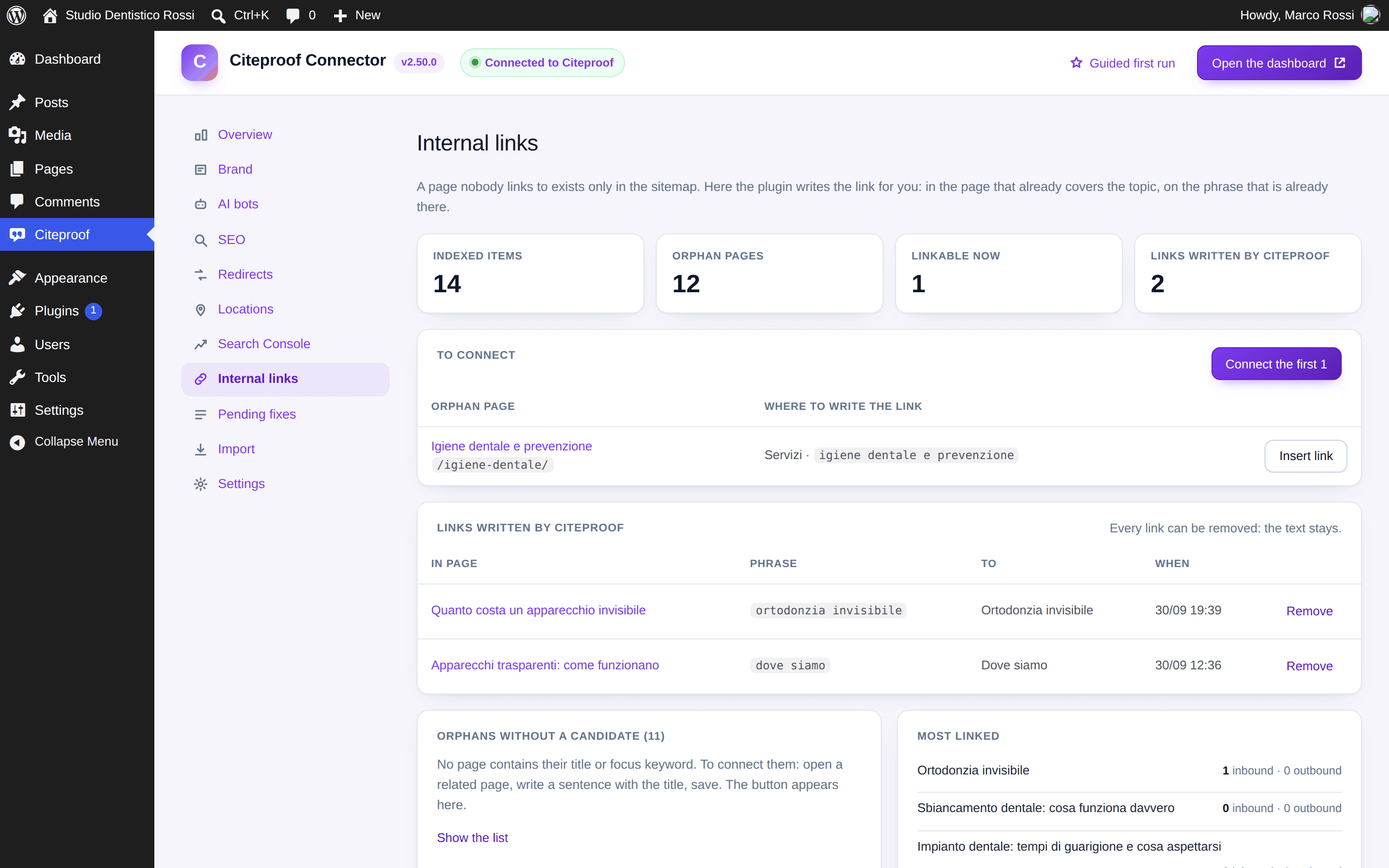
The four numbers
Indexed items, orphan pages, linkable now (orphans for which a fitting phrase exists in another page), links written by Citeproof.
To connect
For every orphan page with a candidate: the page where the link goes and the exact phrase, in grey. Insert link wraps the first occurrence of that phrase in the text with <a>, outside headings, code and existing links, and leaves everything else as it is. Connect the first N does the same for all of them at once.
The plugin does not touch pages built with a page builder and does not touch drafts: for those you add the link from the editor.
Links written by Citeproof
The log says page, phrase, target and when. Remove takes the link off: the text stays exactly as it was.
Orphans without a candidate
Orphan pages for which no page contains the title or the keyword. To connect them: open a related page, write a sentence with the title, save. The button shows up here.
In the editor
Under every post, in More options → Links to other pages of the site, the plugin shows the phrases in the text that are another page's title, with Insert the link, and the pages that cover this topic without linking it. If the page has no internal link yet, the thing to do shows directly in the list at the top of the box.
Does the plugin rewrite the text?
No. It only adds the link tag around a phrase that is already there, the first time it appears outside headings, code and other links. With Remove the tag goes and the phrase stays.
How does it pick the phrase?
It looks in the other pages' text for the orphan page's title or keyword. It uses no model and invents no phrases: if no page contains that title, the page stays among the orphans without a candidate.