Search Console data is only useful once it becomes a thing to do. The plugin's Search Console tab reads it from the dashboard, where you connected your Google account, and sorts it into three actions. The plugin never talks to Google and never asks for credentials.
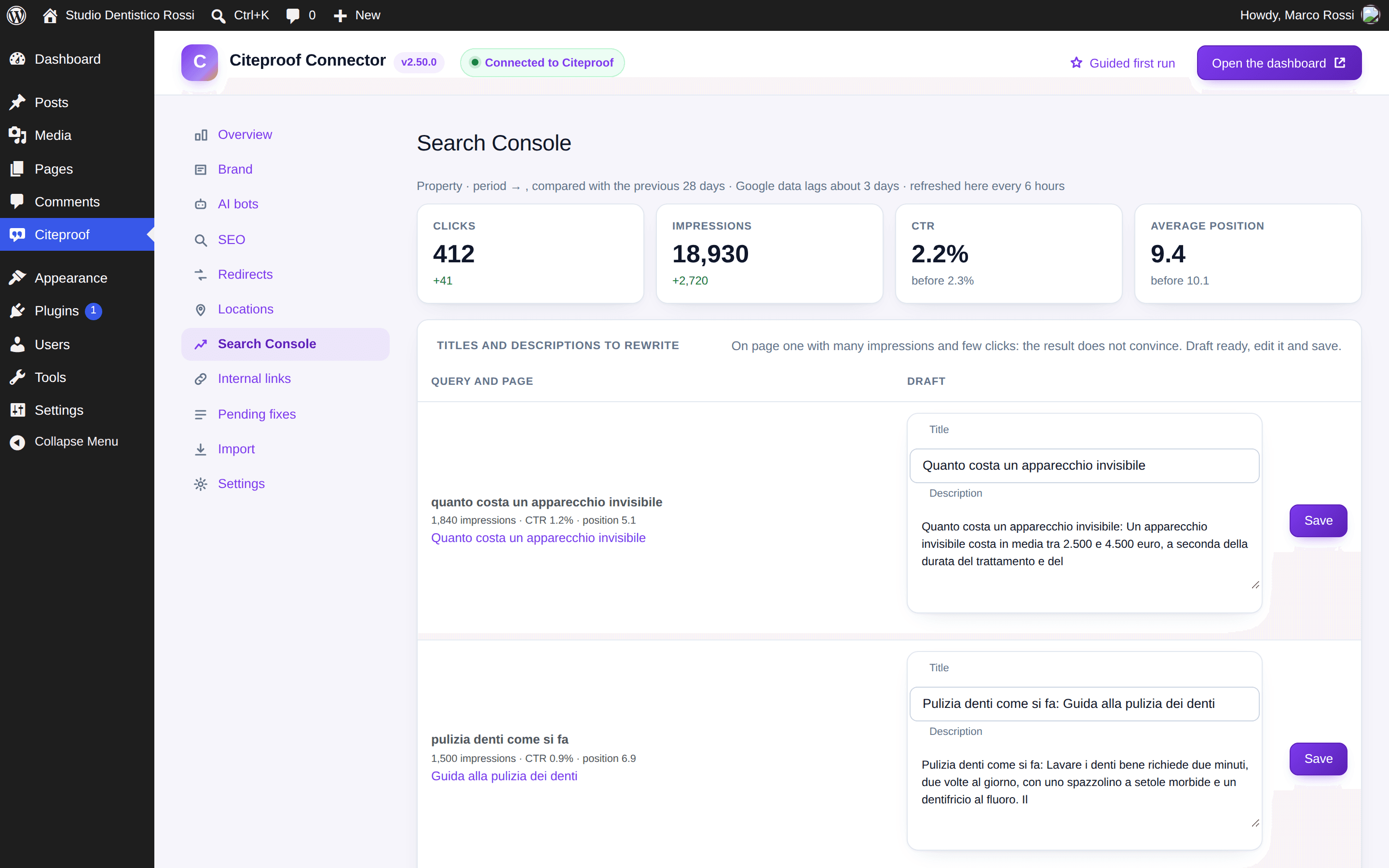
The numbers
Clicks, impressions, CTR and average position over the last 28 days, each compared with the 28 before. Google's data arrives about three days late and the plugin refreshes it every six hours; Refresh now forces a read.
Titles and descriptions to rewrite
The queries where you rank on page one with many impressions and few clicks: the result does not convince. For each one the plugin proposes a title that repeats the query and a description taken from the page text. Edit and press Save: the page's SEO fields update right away.
Pages losing clicks
Pages that lost at least 20% of their clicks against the previous period, with the queries they are found for: the context for an update. Update opens the editor.
Questions to answer
Queries phrased as a question (how much, how does, how long…) that bring impressions to a page that does not have that question among its FAQ yet. Add as FAQ puts it on the right page: you write the answer, or ask the platform for it from the SEO box.
Where else it shows
The Search Console line and the searched queries also sit under every post in the SEO box; the dashboard widget repeats the four numbers; the clicks column in the posts list shows the trend per page.
Why does the tab say Search Console is not connected?
Because the Google connection is made in the dashboard, not in the plugin. Once connected there, the plugin reads it on its own within six hours, or right away with Refresh now.